Quick Links
Quick Links
Project Overview
Project Overview
Project Overview
Background
Background
Background
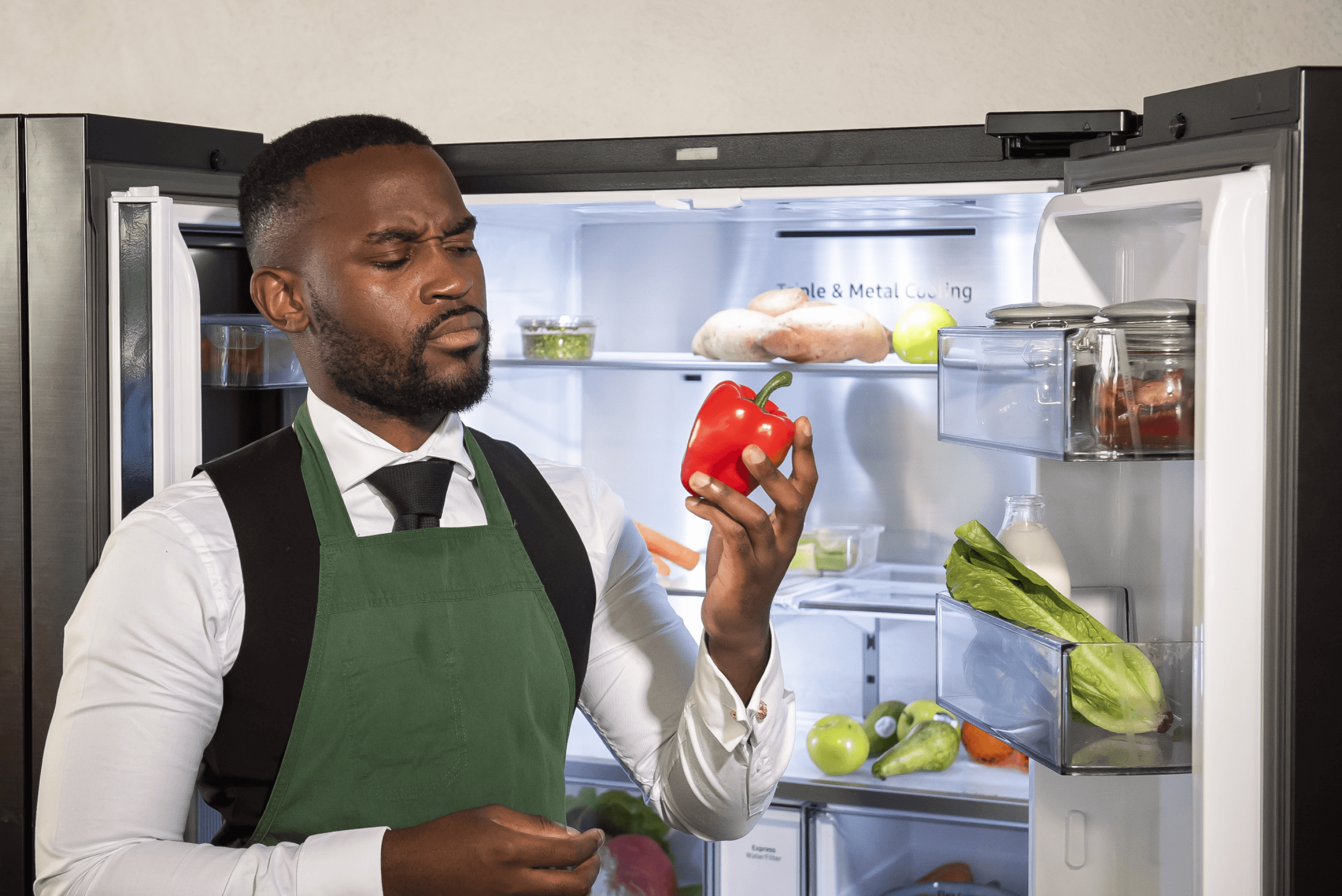
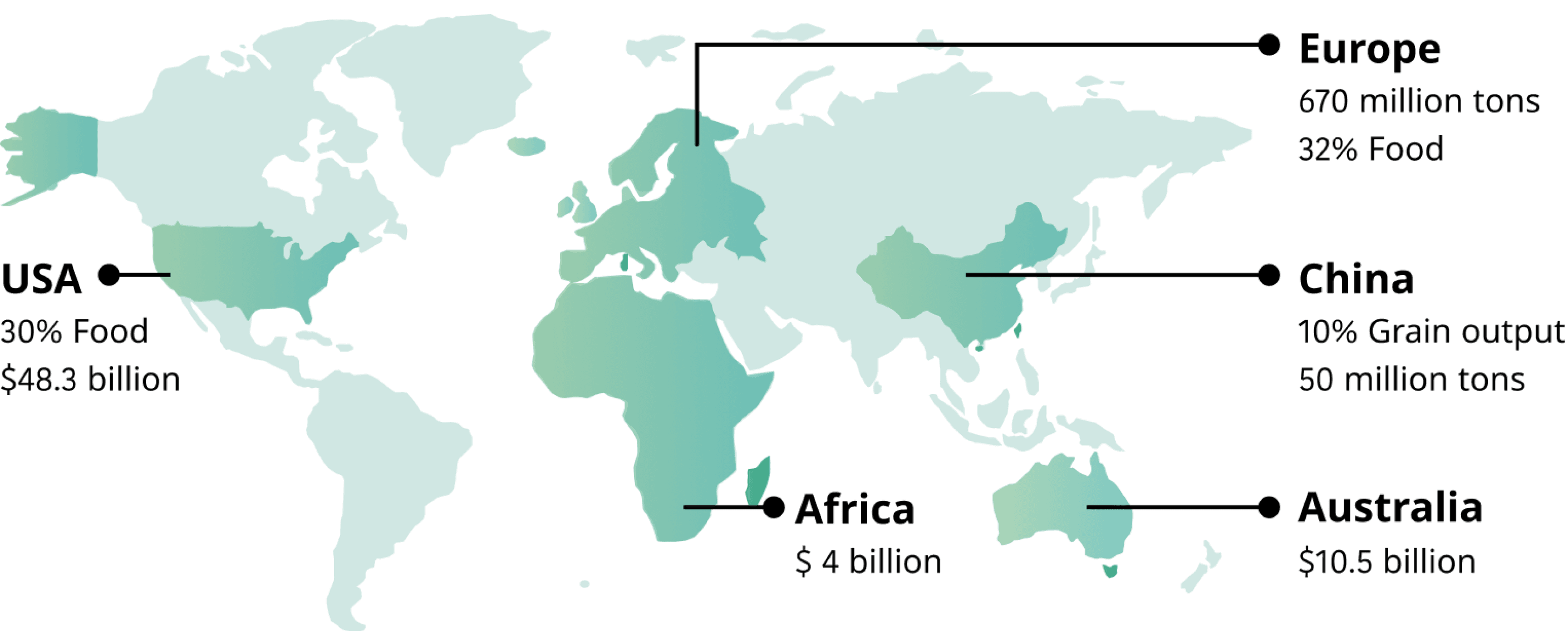
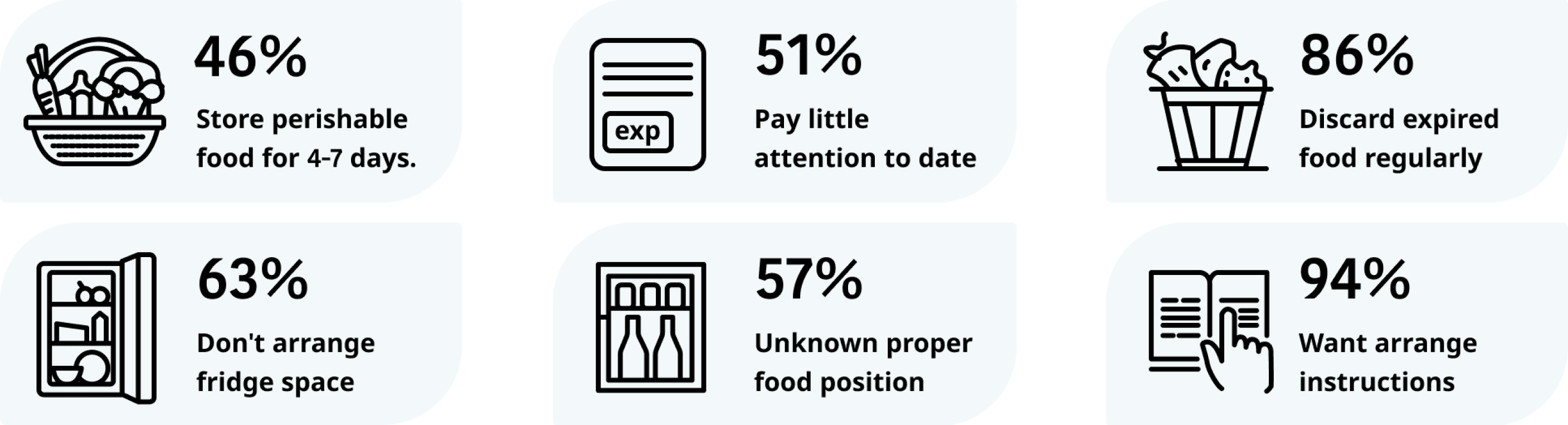
Globally, common causes of food waste include inefficient use of fridge space, leading to clutter and reduced storage efficiency; improper placement of food, which affects freshness and preservation; and neglecting expiration dates, often resulting in discarded expired food. Additionally, many people lack awareness of proper storage methods, but the majority express a desire for guidance. This indicates that providing practical fridge organization tools and storage guides could help improve storage efficiency and significantly reduce food waste.
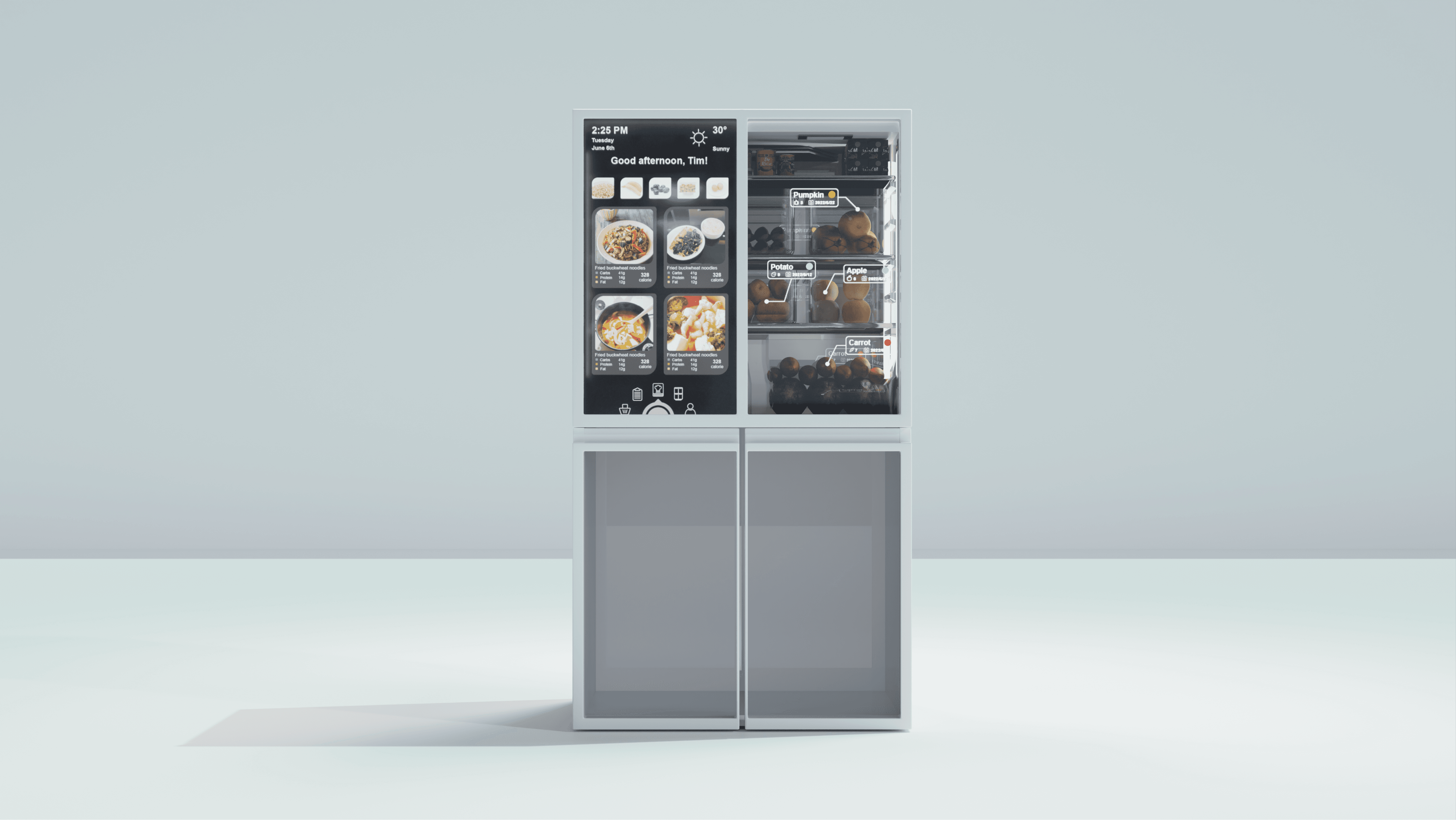
This solution leverages smart technology to achieve food storage optimization and healthy diet planning. It includes automatic food recognition, storage position recommendations, 3D visualization, and expiration date reminders to help users track food status. It also recommends recipes based on diet preferences with nutrition information and connects with local suppliers, enhancing convenience, reducing waste, and improving user experience.
Globally, common causes of food waste include inefficient use of fridge space, leading to clutter and reduced storage efficiency; improper placement of food, which affects freshness and preservation; and neglecting expiration dates, often resulting in discarded expired food. Additionally, many people lack awareness of proper storage methods, but the majority express a desire for guidance. This indicates that providing practical fridge organization tools and storage guides could help improve storage efficiency and significantly reduce food waste.
Solution
Solution
Solution
This solution leverages smart technology to achieve food storage optimization and healthy diet planning. It includes automatic food recognition, storage position recommendations, 3D visualization, and expiration date reminders to help users track food status. It also recommends recipes based on diet preferences with nutrition information and connects with local suppliers, enhancing convenience, reducing waste, and improving user experience.
This solution leverages smart technology to achieve food storage optimization and healthy diet planning. It includes automatic food recognition, storage position recommendations, 3D visualization, and expiration date reminders to help users track food status. It also recommends recipes based on diet preferences with nutrition information and connects with local suppliers, enhancing convenience, reducing waste, and improving user experience.
This solution leverages smart technology to achieve food storage optimization and healthy diet planning. It includes automatic food recognition, storage position recommendations, 3D visualization, and expiration date reminders to help users track food status. It also recommends recipes based on diet preferences with nutrition information and connects with local suppliers, enhancing convenience, reducing waste, and improving user experience.
Smart Fridge Interface
Smart Fridge Interface
Smart Fridge Interface
Homepage
Homepage
Homepage
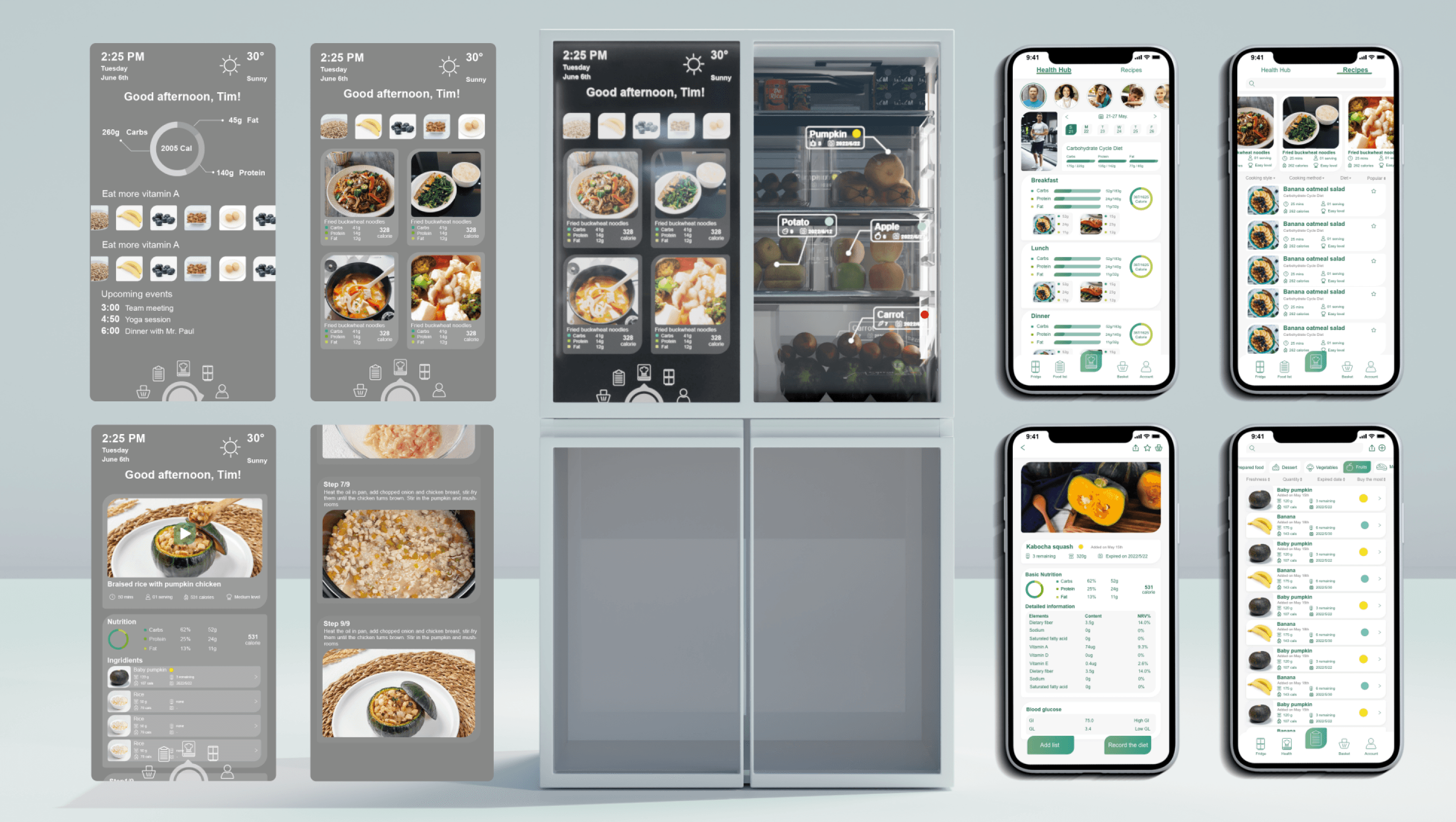
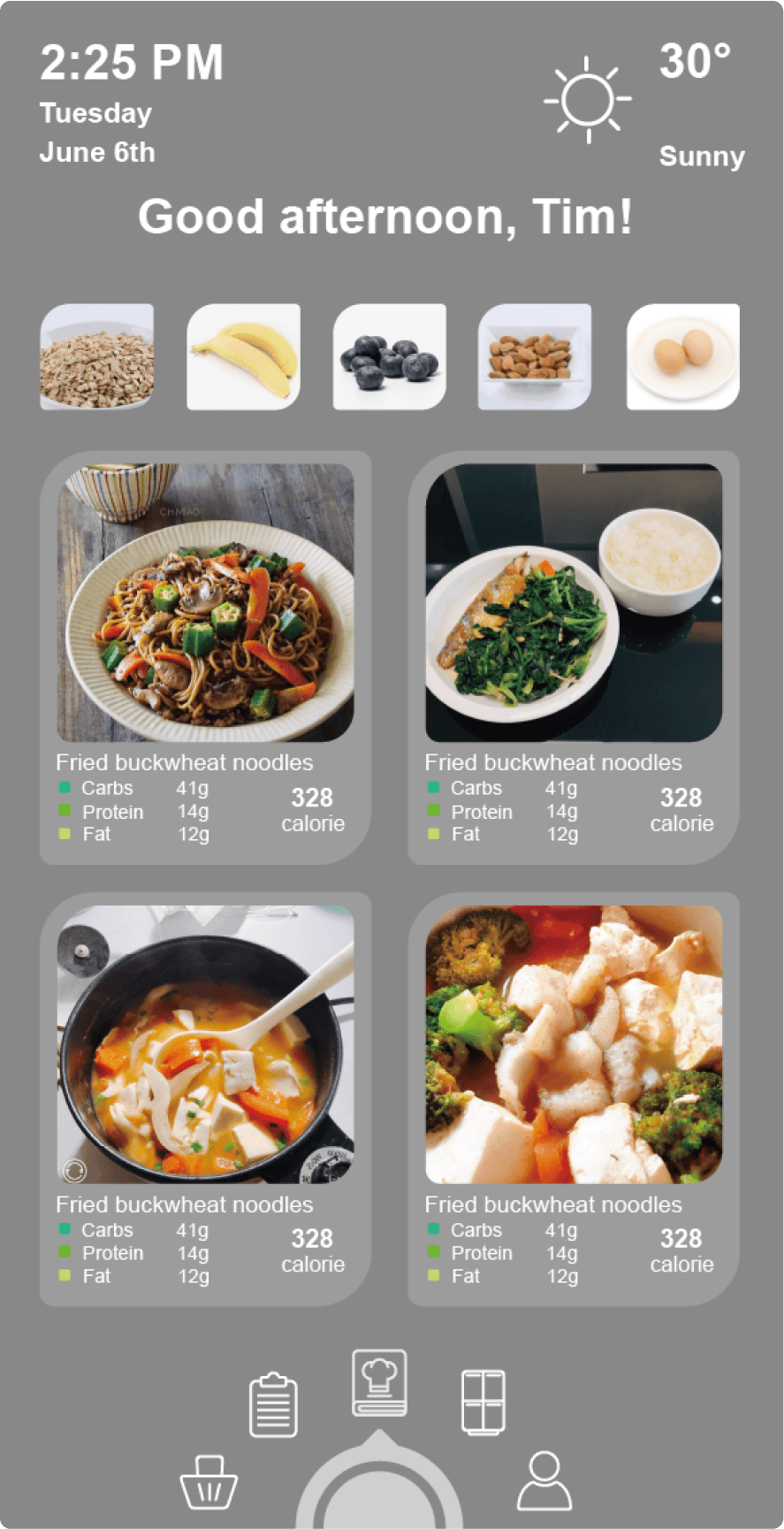
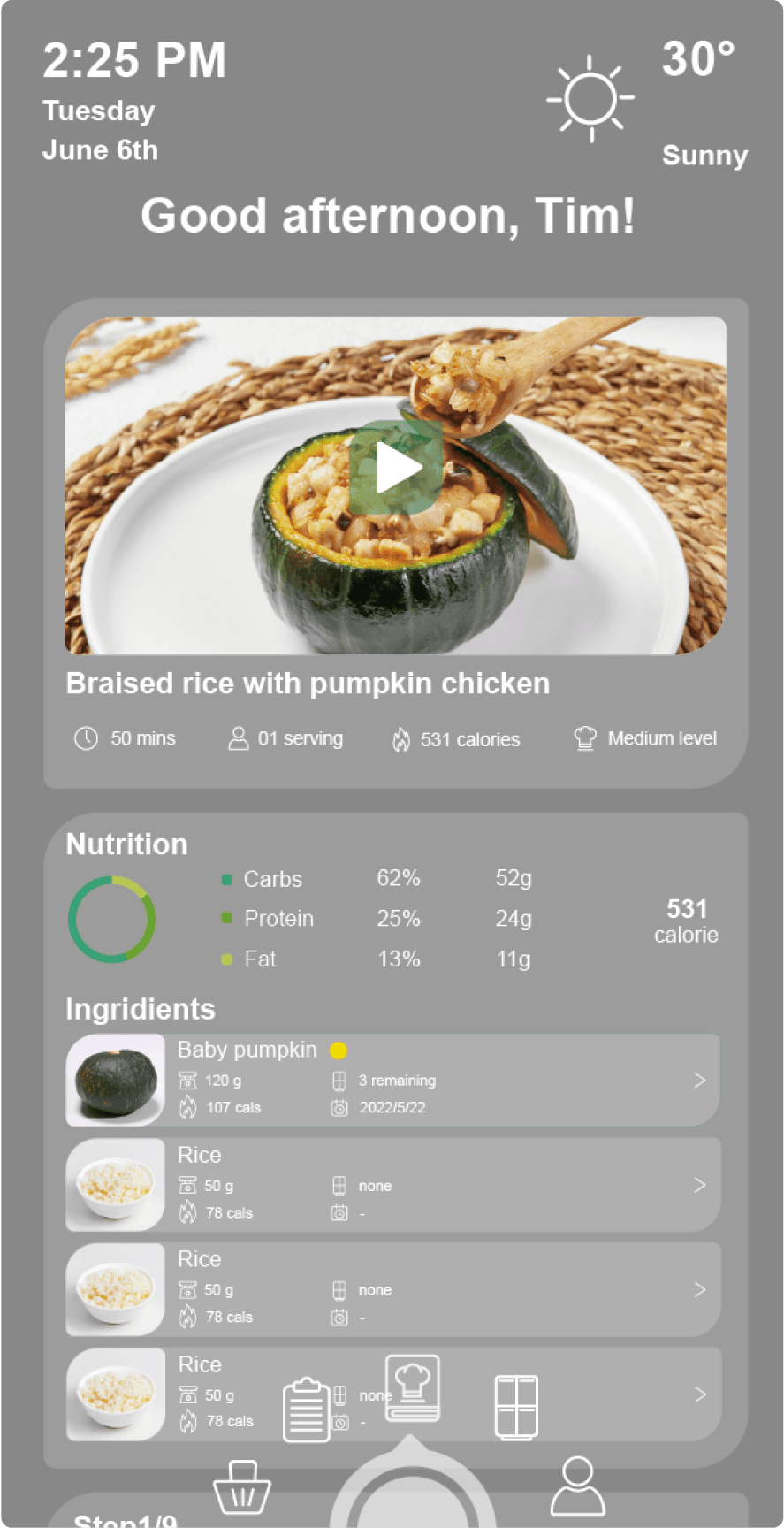
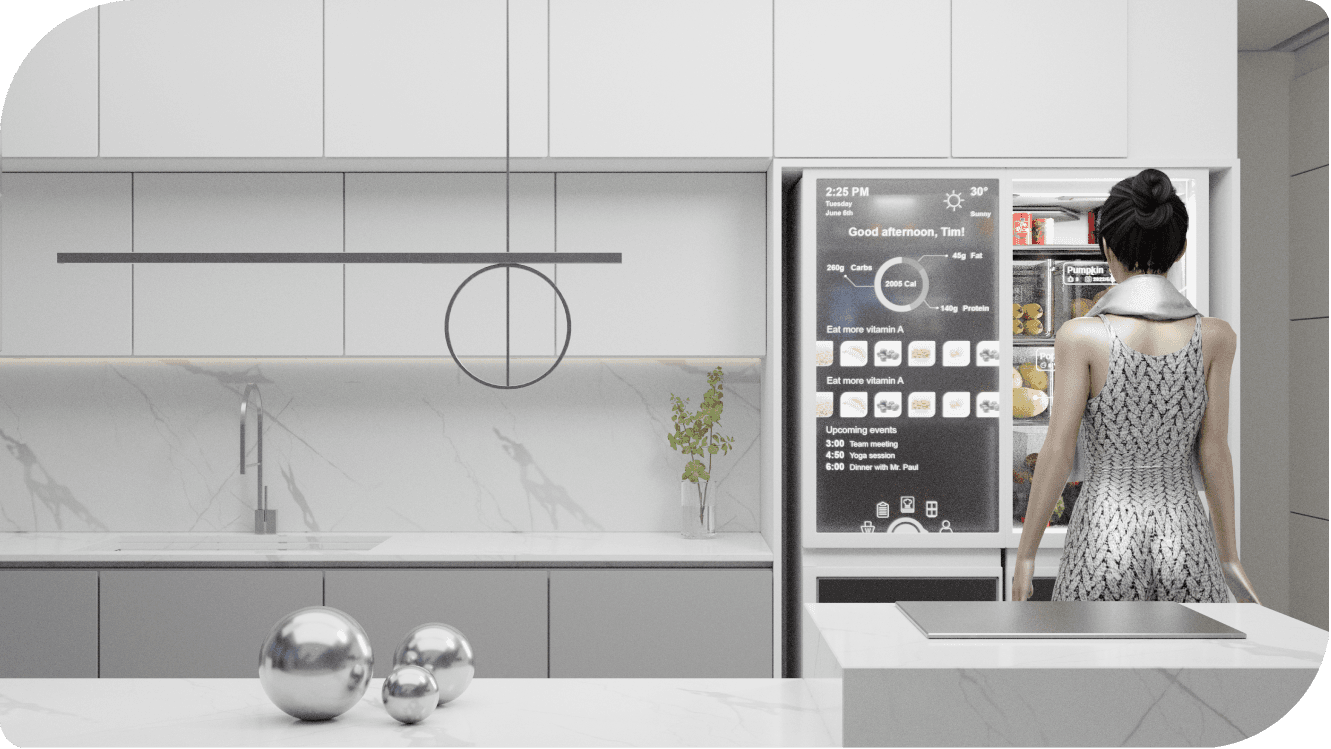
From real-time nutritional data analysis and personalized health recommendations to curated recipe suggestions and step-by-step cooking guidance.
Personalized Health Recommendations: Suggests ingredients and vitamin supplements based on user needs.
Recipe Suggestions: Offers a variety of recipe options with high-resolution images and nutritional information.
Step-by-Step Cooking Guidance: Guides users through each step to easily prepare delicious meals.
Ingredient Management: Shows inventory, expiration dates, and usage suggestions to reduce waste and optimize storage.
Nutritional Data Analysis: Displays daily calorie intake and nutritional ratios in real-time to help users manage a healthy diet.
From real-time nutritional data analysis and personalized health recommendations to curated recipe suggestions and step-by-step cooking guidance.
Personalized Health Recommendations: Suggests ingredients and vitamin supplements based on user needs.
Recipe Suggestions: Offers a variety of recipe options with high-resolution images and nutritional information.
Step-by-Step Cooking Guidance: Guides users through each step to easily prepare delicious meals.
Ingredient Management: Shows inventory, expiration dates, and usage suggestions to reduce waste and optimize storage.
Nutritional Data Analysis: Displays daily calorie intake and nutritional ratios in real-time to help users manage a healthy diet.
From real-time nutritional data analysis and personalized health recommendations to curated recipe suggestions and step-by-step cooking guidance.
Personalized Health Recommendations: Suggests ingredients and vitamin supplements based on user needs.
Recipe Suggestions: Offers a variety of recipe options with high-resolution images and nutritional information.
Step-by-Step Cooking Guidance: Guides users through each step to easily prepare delicious meals.
Ingredient Management: Shows inventory, expiration dates, and usage suggestions to reduce waste and optimize storage.
Nutritional Data Analysis: Displays daily calorie intake and nutritional ratios in real-time to help users manage a healthy diet.
Food tag
Food tag
Food tag
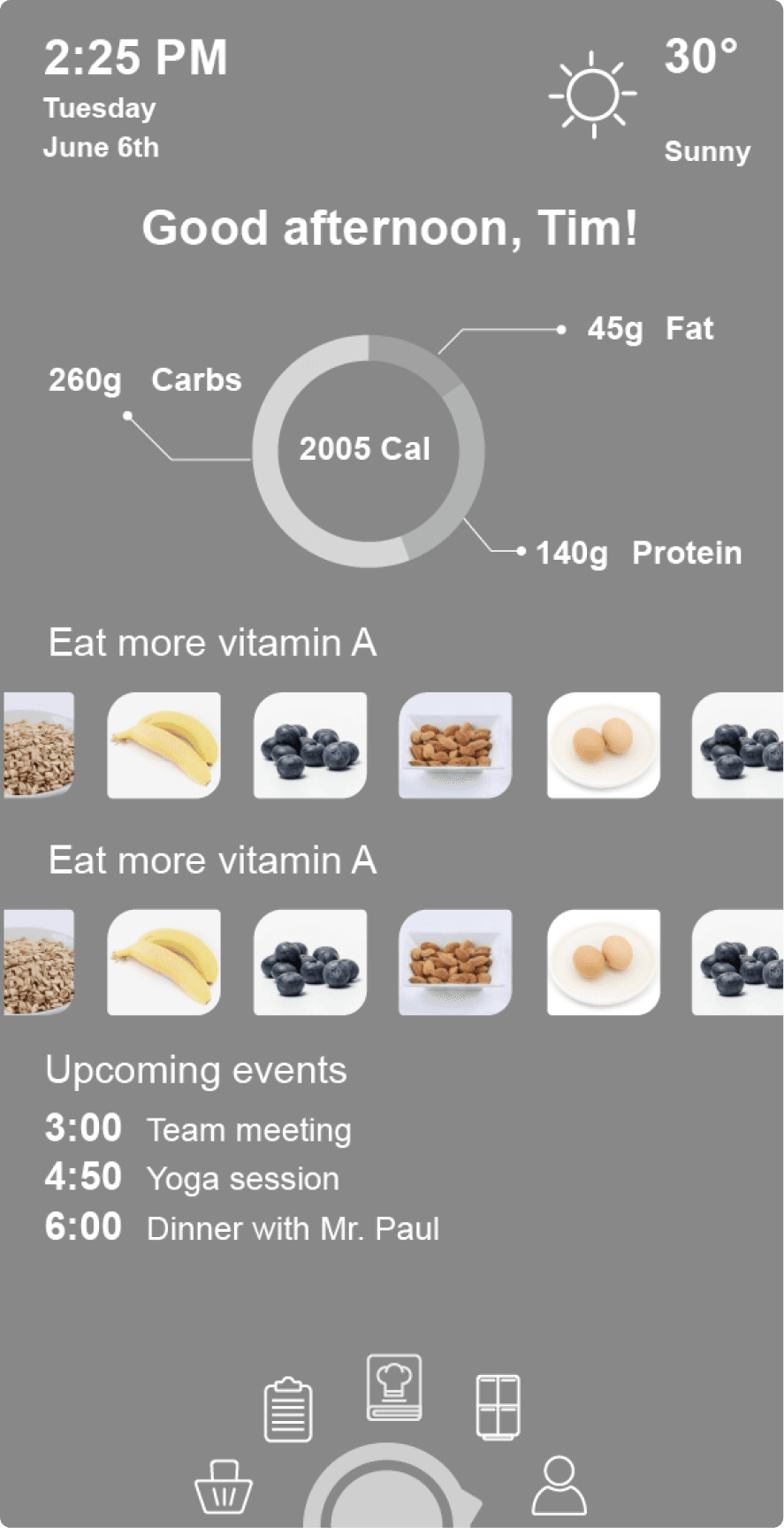
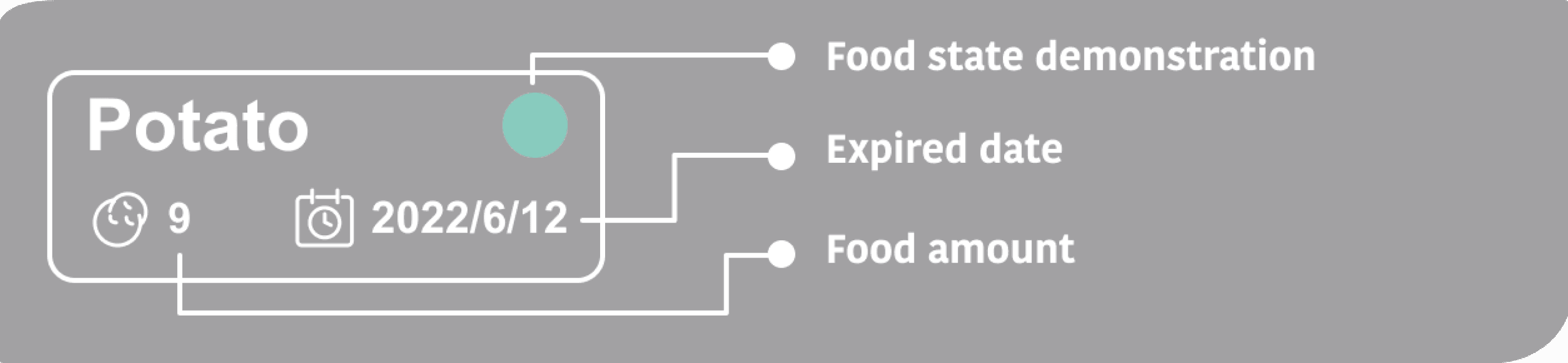
The food tag simplifies food management by displaying the item's name, quantity, expiration date, and a visual freshness indicator, helping users quickly assess and organize fridge contents.
The food tag simplifies food management by displaying the item's name, quantity, expiration date, and a visual freshness indicator, helping users quickly assess and organize fridge contents.
The food tag simplifies food management by displaying the item's name, quantity, expiration date, and a visual freshness indicator, helping users quickly assess and organize fridge contents.
Add food to list on Fridge
Add food to list on Fridge
Add food to list on Fridge
1. Press on the food tag
2. The tag will zoom and a food list appear
3. Drag the food picture into the list
1. Press on the food tag
2. The tag will zoom and a food list appear
3. Drag the food picture into the list
1. Press on the food tag
2. The tag will zoom and a food list appear
3. Drag the food picture into the list

App Design
App Design
App Design
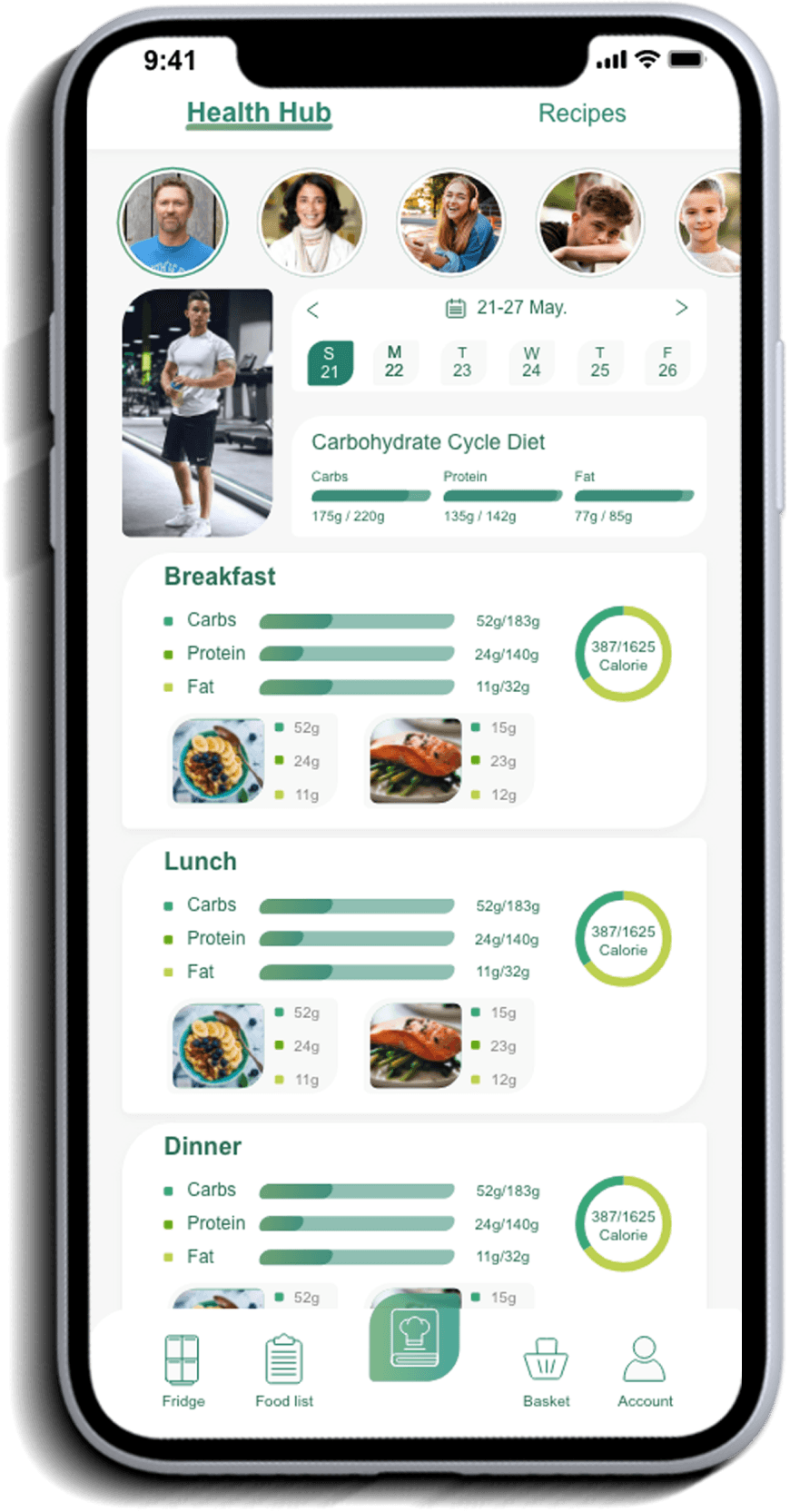
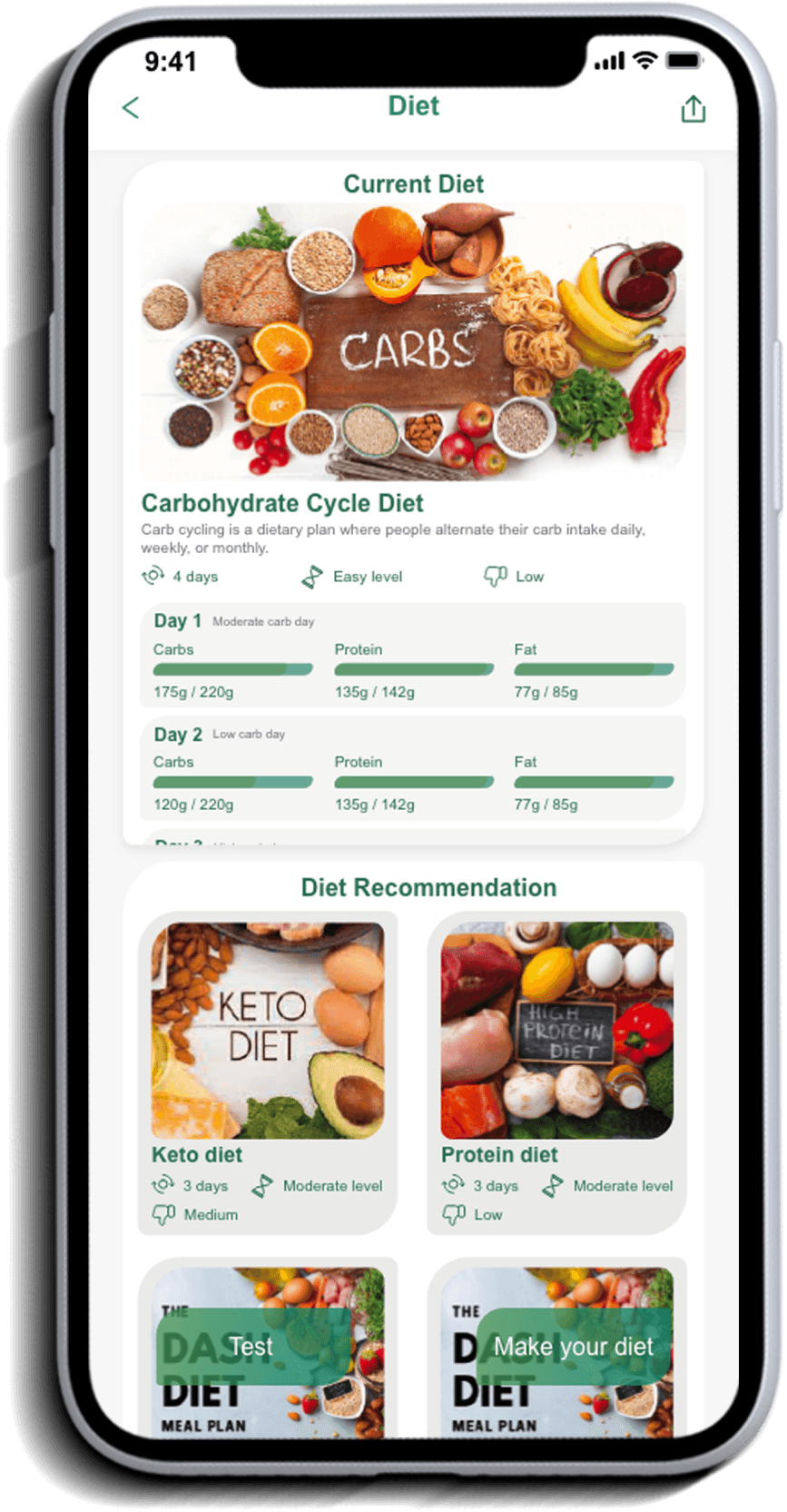
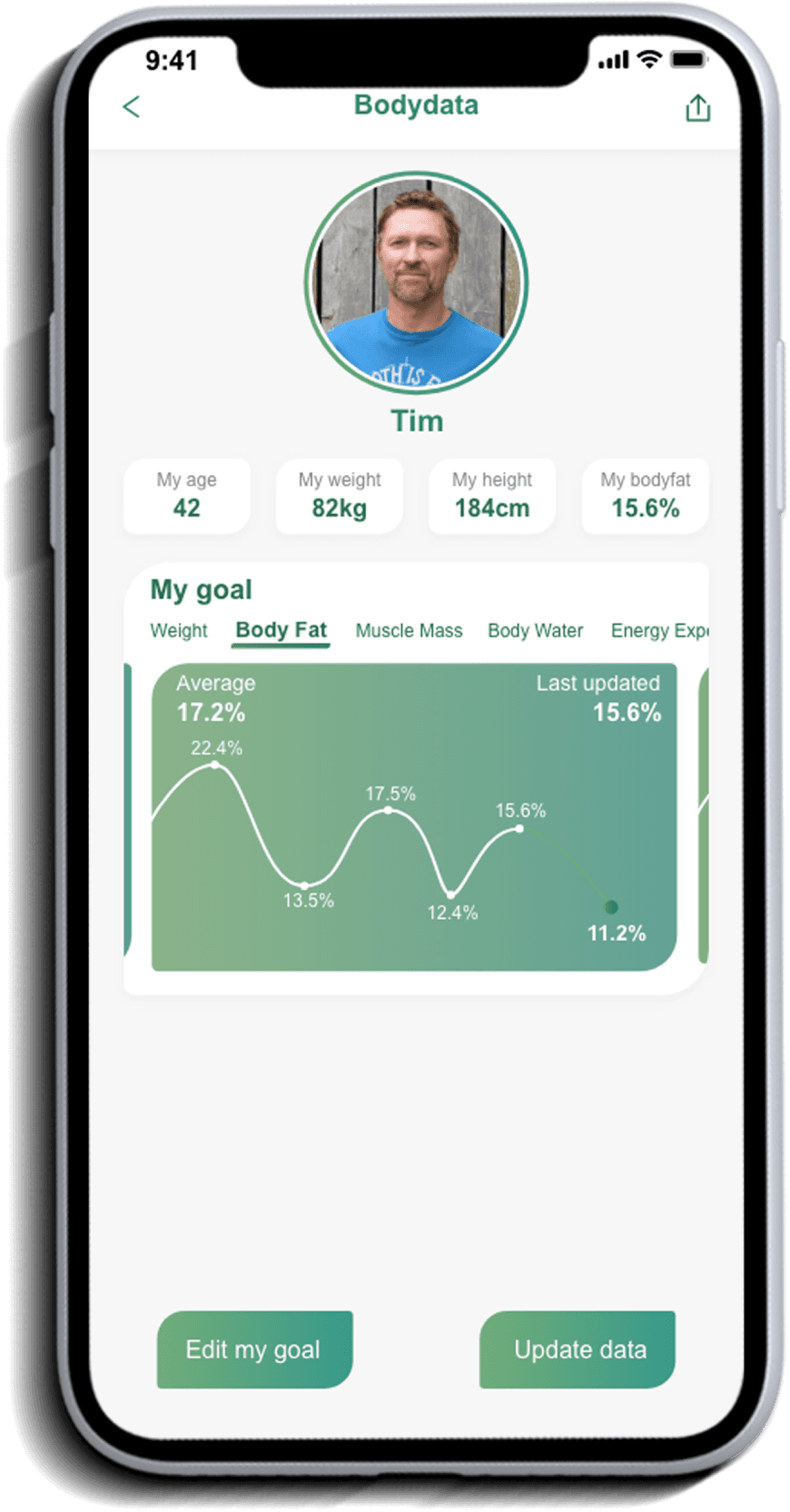
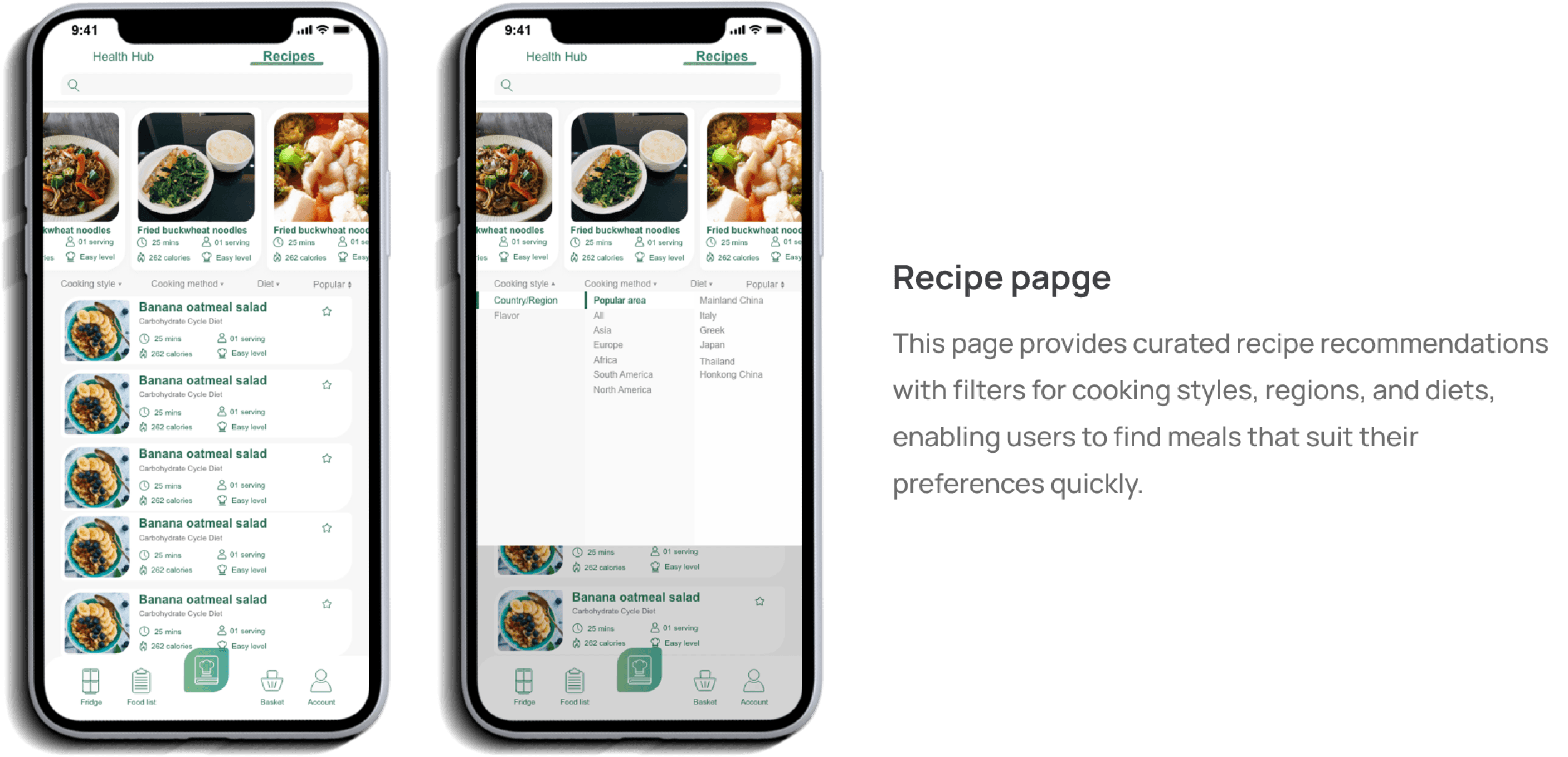
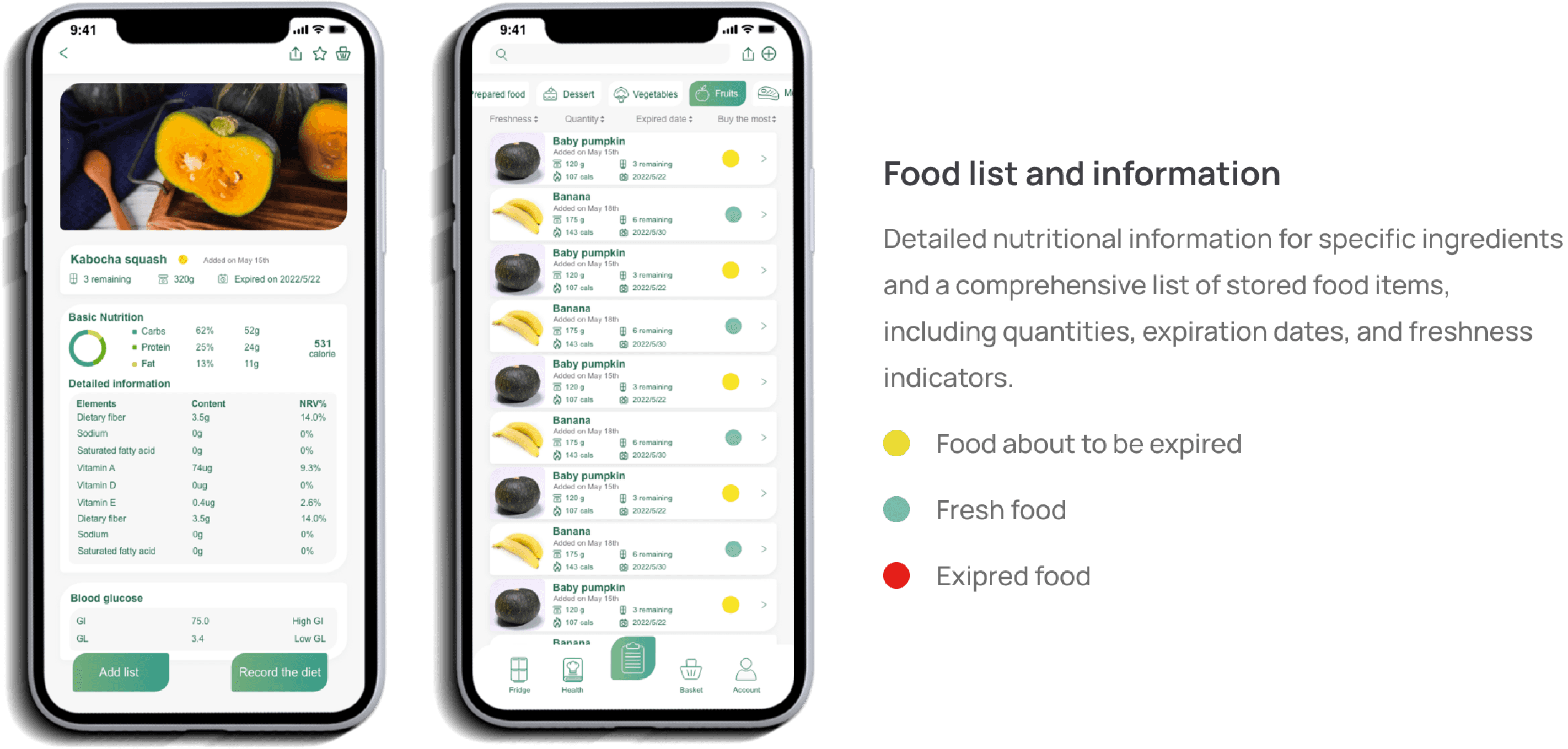
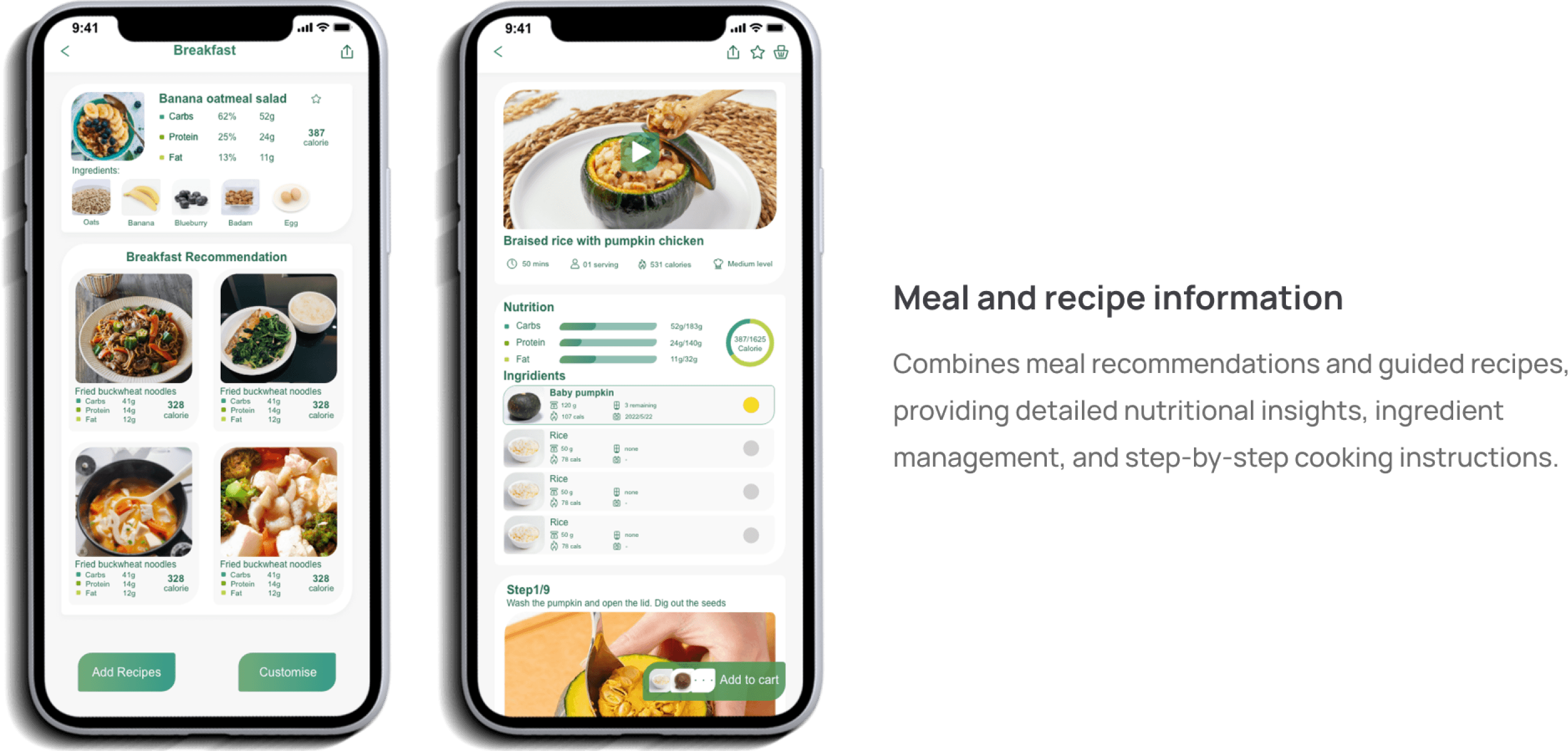
The app integrates nutritional analysis, diet recommendations, recipe suggestions, and ingredient management.
The app integrates nutritional analysis, diet recommendations, recipe suggestions, and ingredient management.
The app integrates nutritional analysis, diet recommendations, recipe suggestions, and ingredient management.
User Journey
User Journey
User Journey
Food Purchasing
Food Purchasing
Food Purchasing
Users browse recipes, check the required ingredients, add missing items directly to the cart, select a supplier, and place an order, seamlessly completing the process from meal planning to ingredient purchasing.
Users browse recipes, check the required ingredients, add missing items directly to the cart, select a supplier, and place an order, seamlessly completing the process from meal planning to ingredient purchasing.
Users browse recipes, check the required ingredients, add missing items directly to the cart, select a supplier, and place an order, seamlessly completing the process from meal planning to ingredient purchasing.
Step 1
Step 1
Step 1
Finish workout in the morning, check the diet
Finish workout in the morning, check the diet
Finish workout in the morning, check the diet
Step 2
Step 2
Step 2
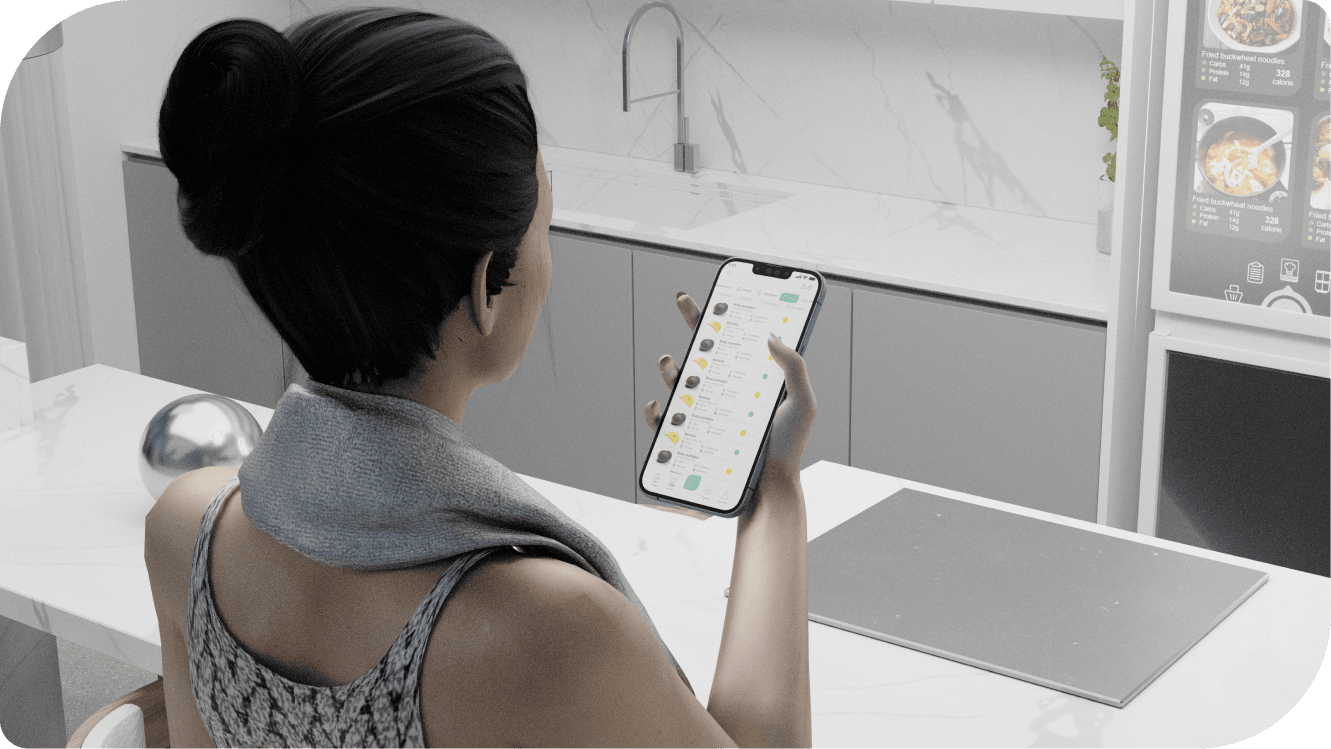
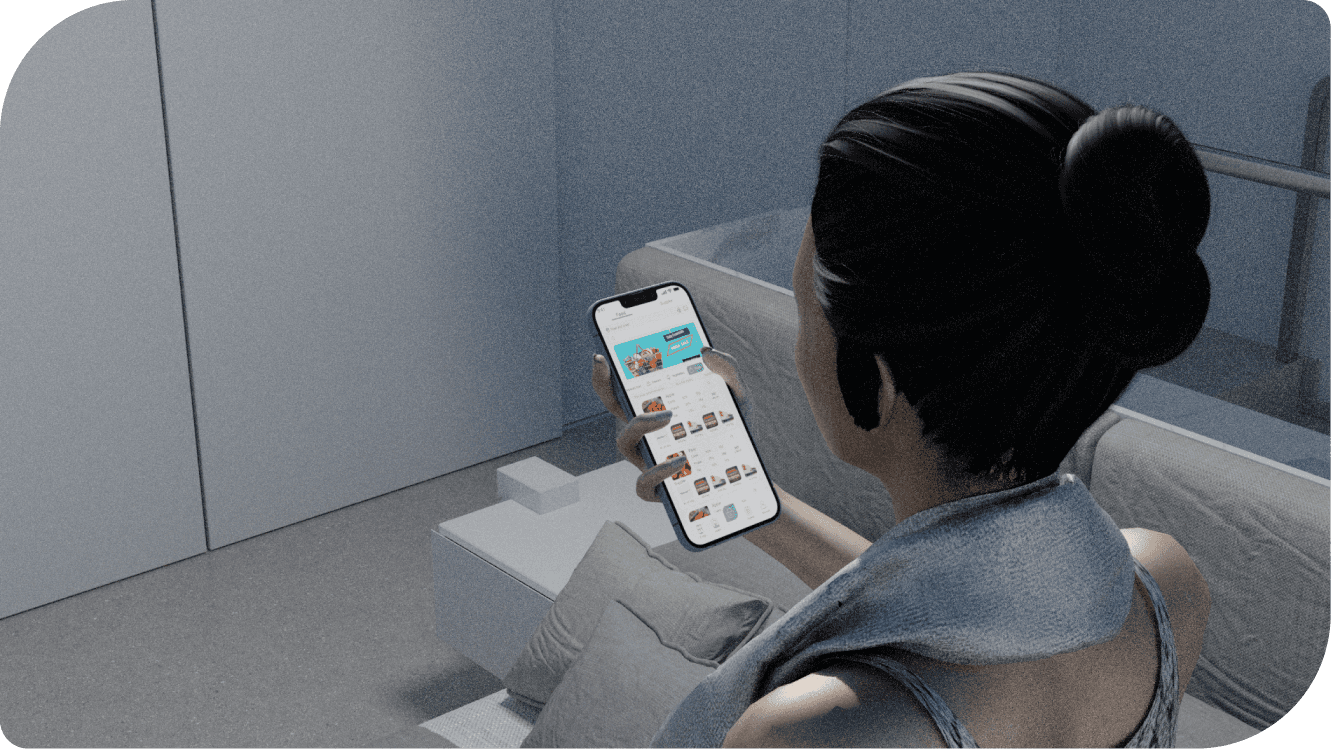
Select the food you want to eat
Select the food you want to eat
Select the food you want to eat
Step 3
Step 3
Step 3
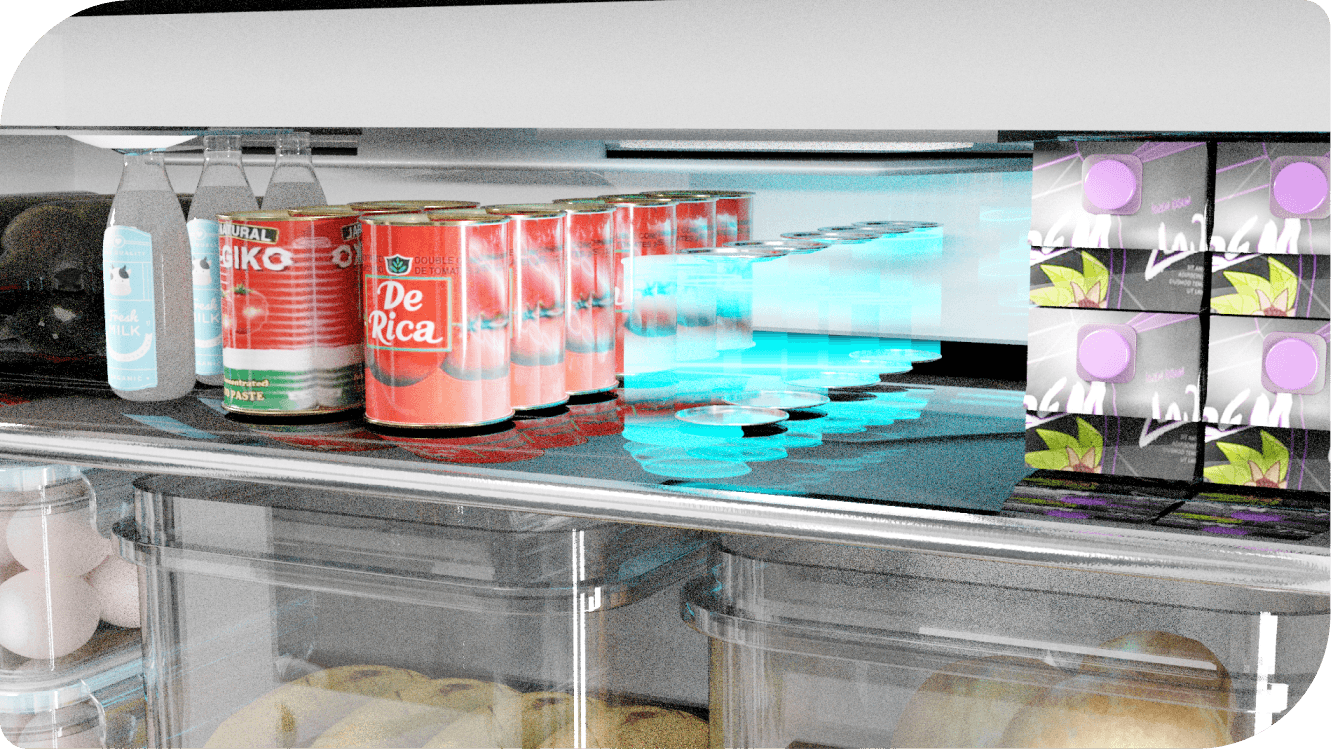
Food position projection
Food position projection
Food position projection
Step 4
Step 4
Step 4
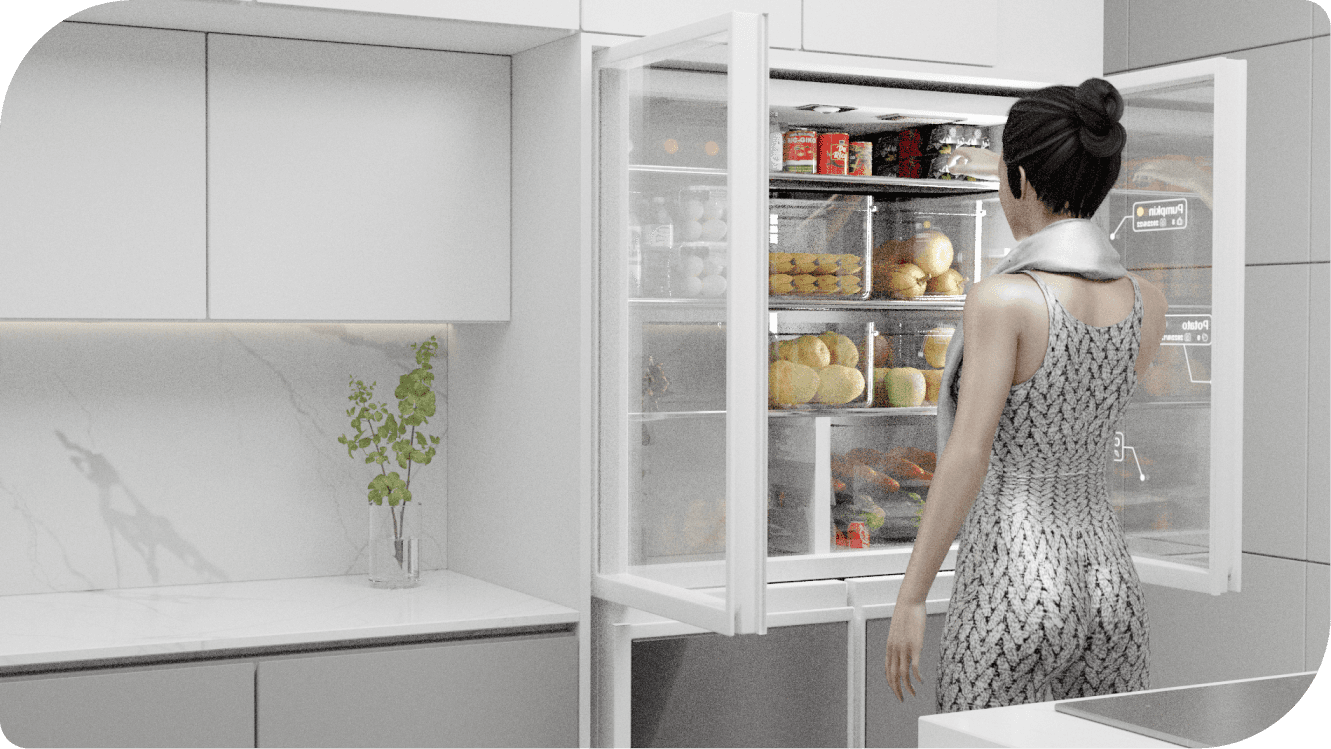
Buy food on the app
Buy food on the app
Buy food on the app
Step 5
Step 5
Step 5
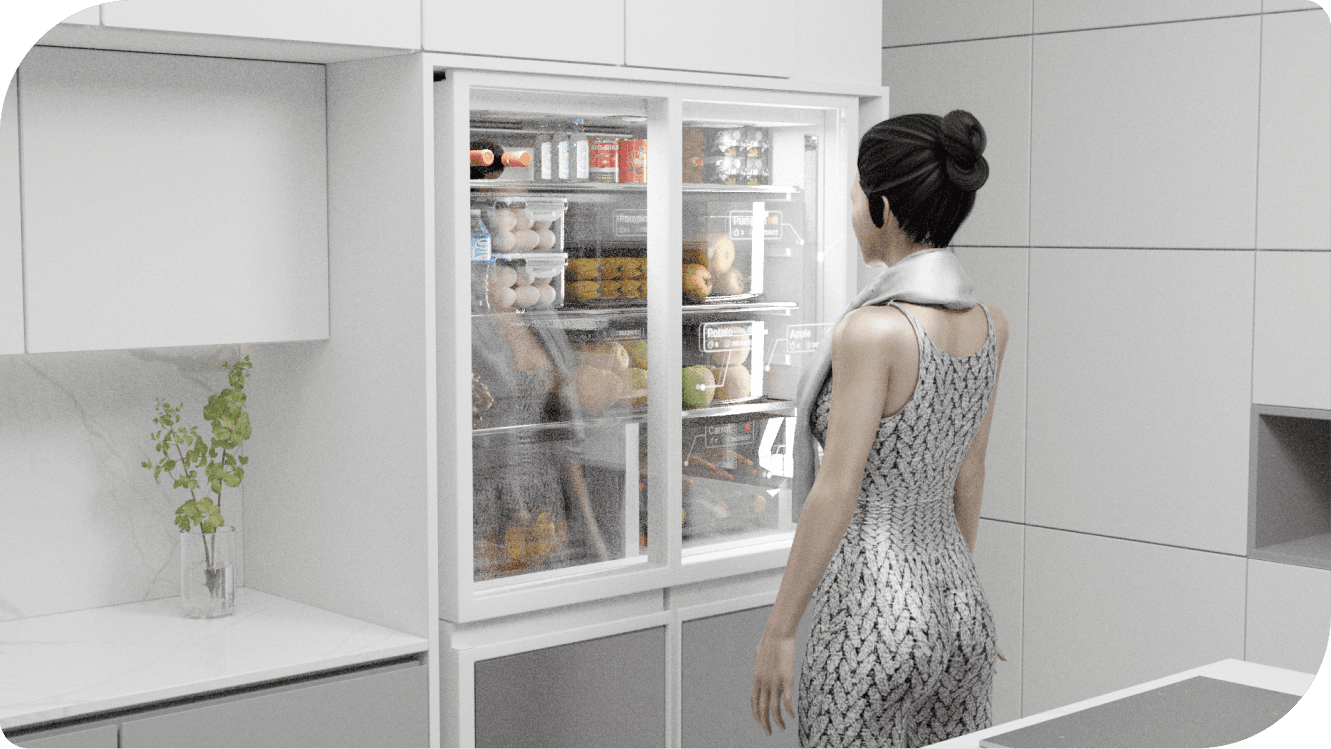
Put the food on the recommended position
Put the food on the recommended position
Put the food on the recommended position
Step 6
Step 6
Step 6
Finish the food arrangement
Finish the food arrangement
Finish the food arrangement
Cooking
Cooking
Cooking
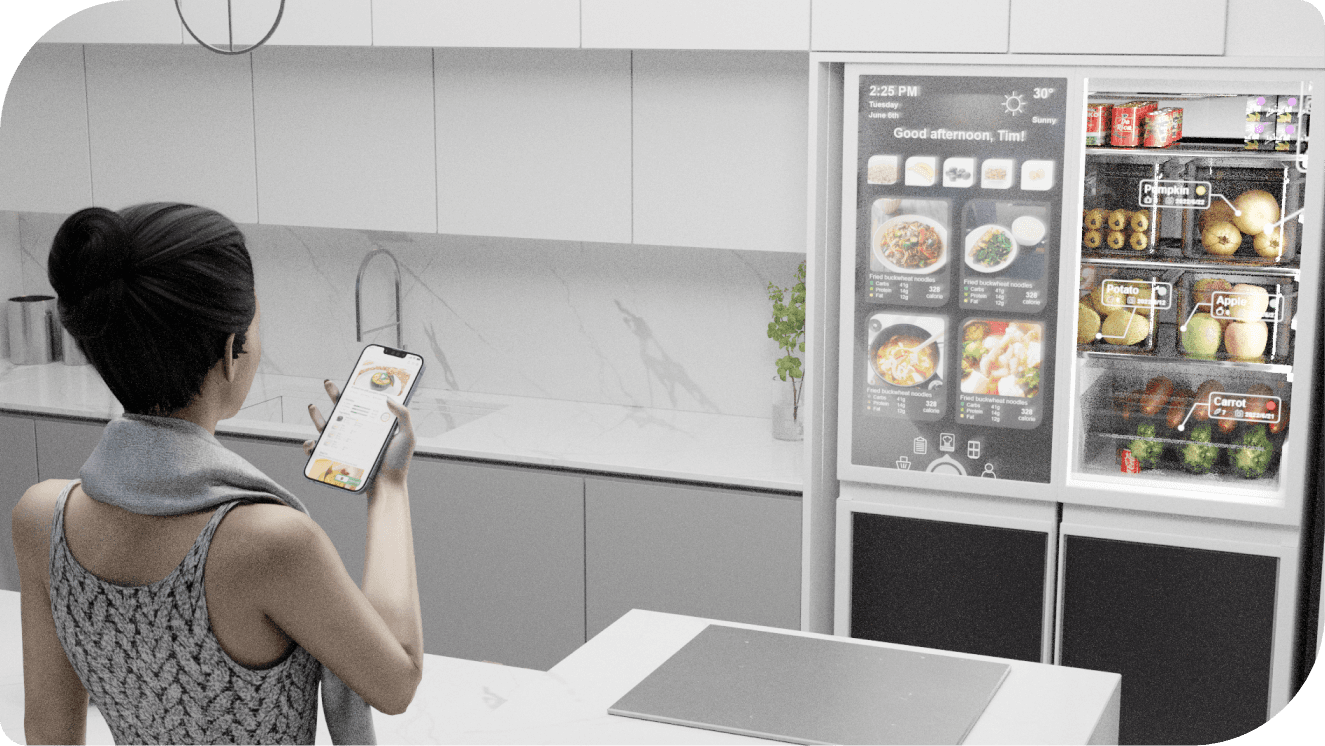
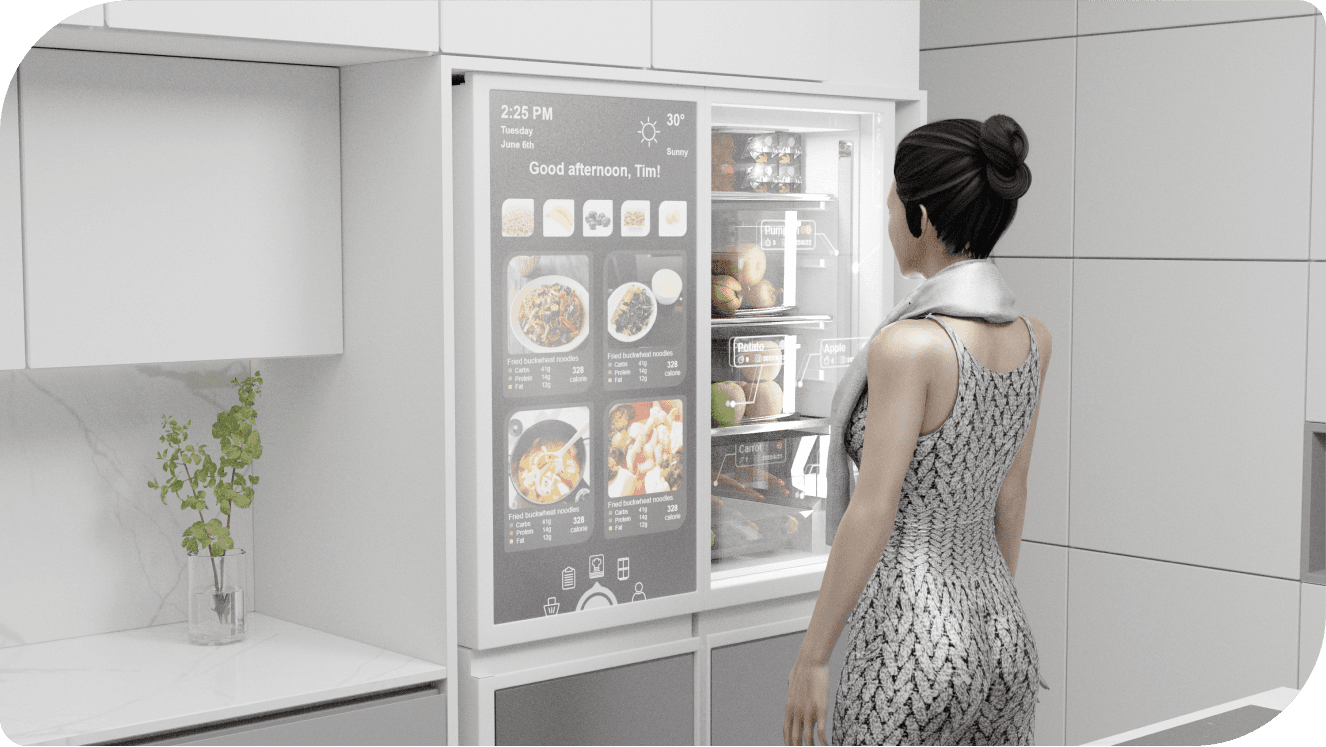
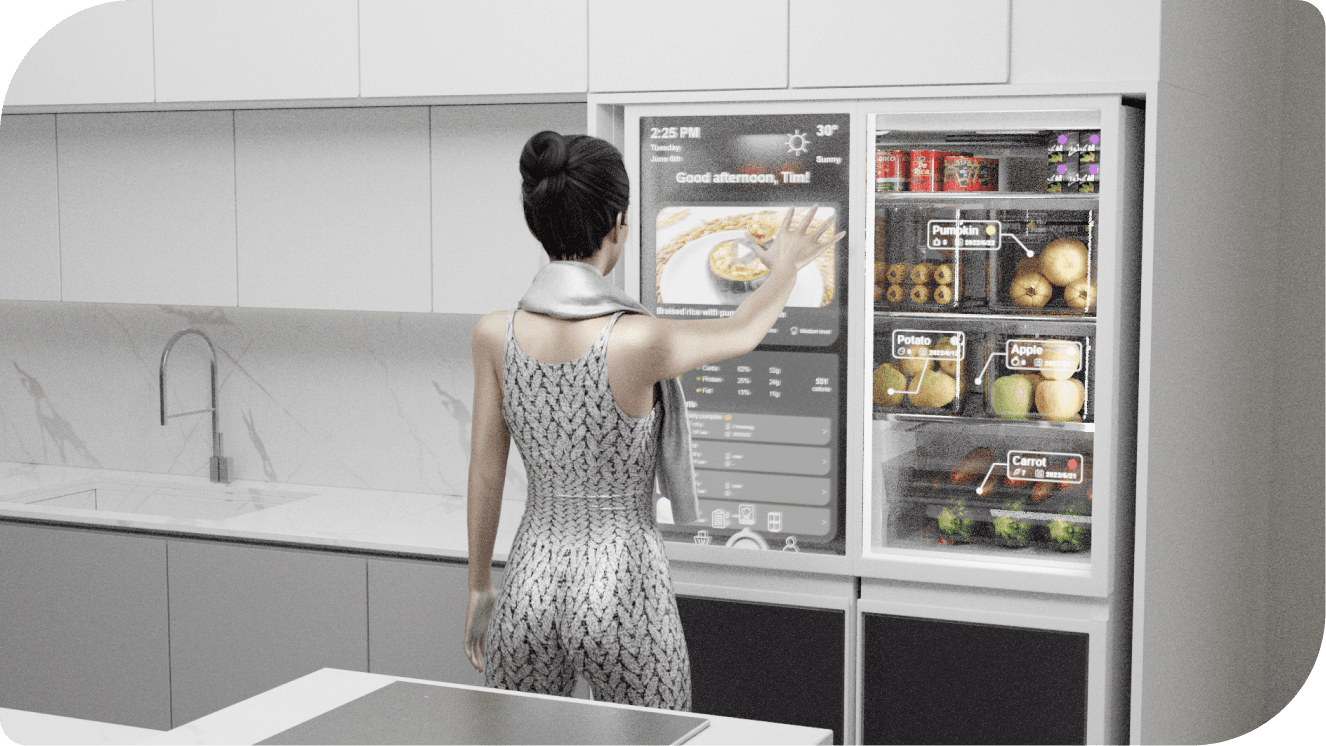
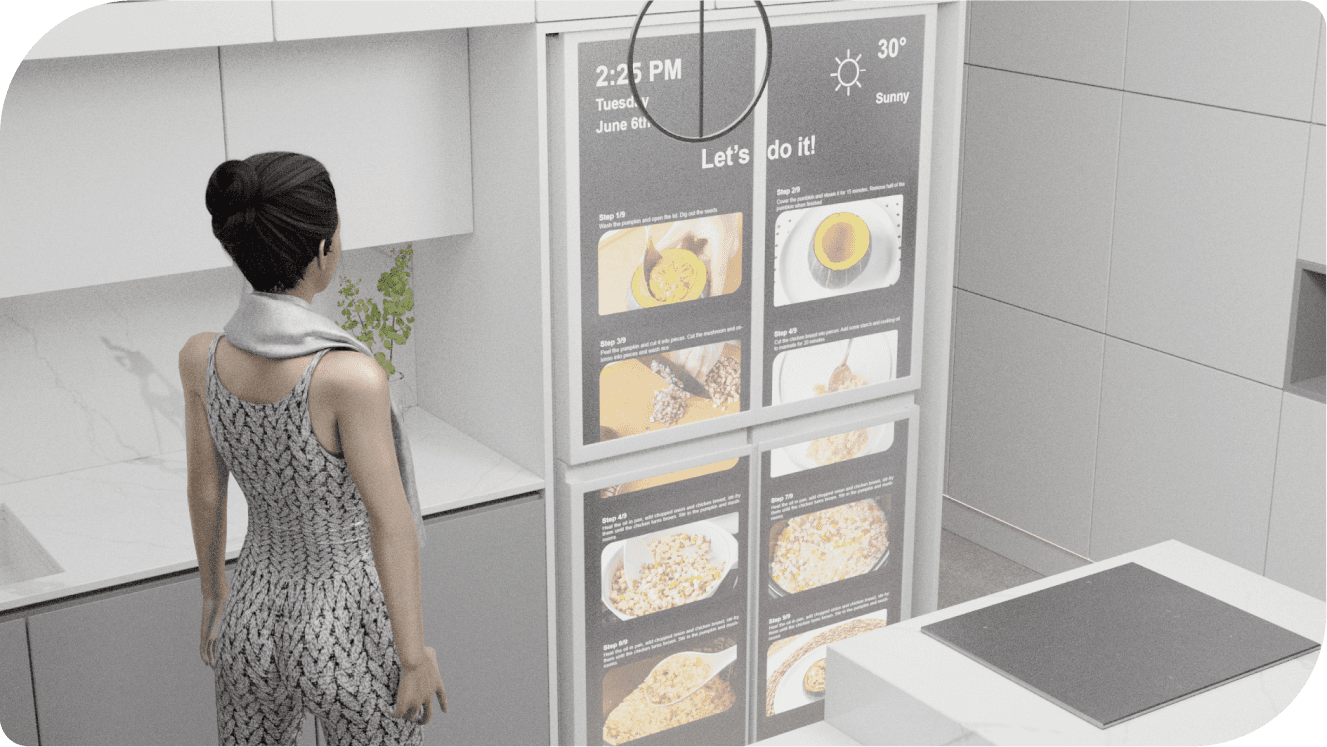
The user first browses recommended recipes on their phone, selects a preferred dish, and confirms the required ingredients. Then, they check the inventory on the fridge interface and restock any missing items. Finally, the user views the detailed cooking steps and completes the preparation step-by-step using the fridge's display.
The user first browses recommended recipes on their phone, selects a preferred dish, and confirms the required ingredients. Then, they check the inventory on the fridge interface and restock any missing items. Finally, the user views the detailed cooking steps and completes the preparation step-by-step using the fridge's display.
The user first browses recommended recipes on their phone, selects a preferred dish, and confirms the required ingredients. Then, they check the inventory on the fridge interface and restock any missing items. Finally, the user views the detailed cooking steps and completes the preparation step-by-step using the fridge's display.

Step 1
Step 1
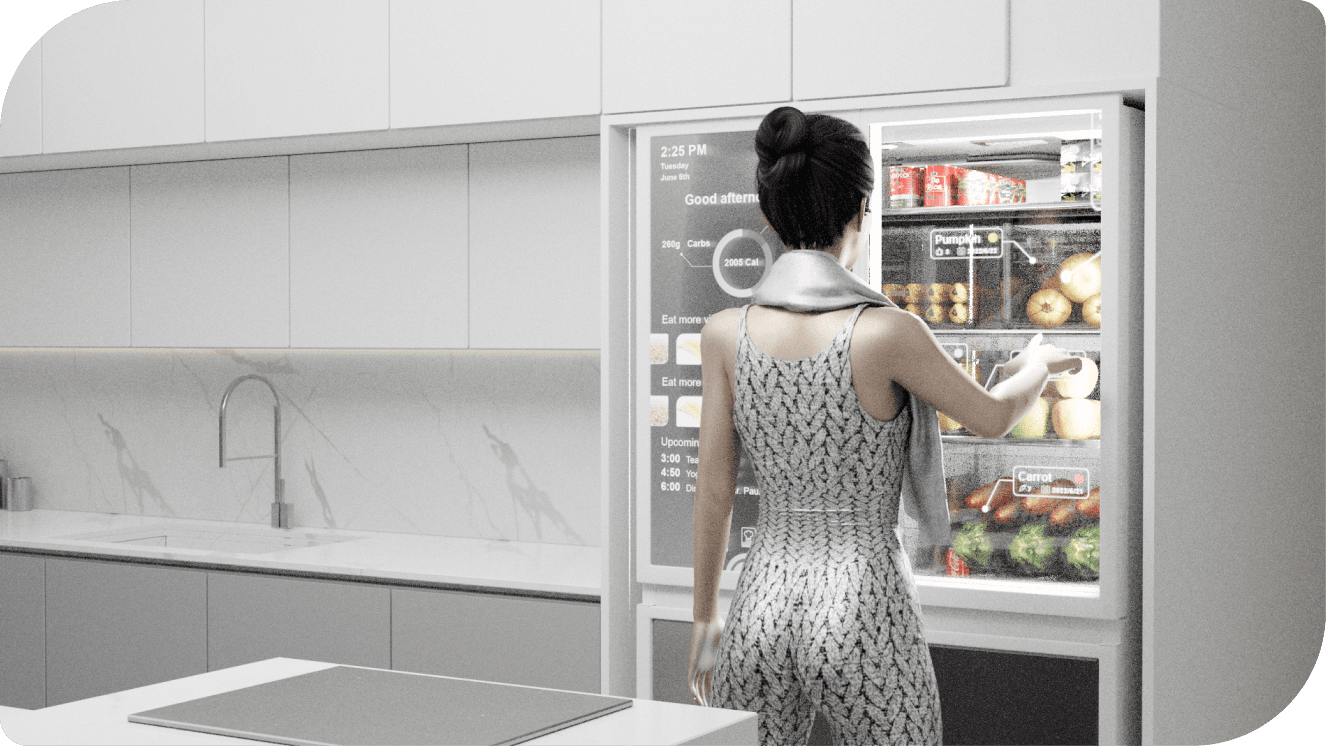
Check your goals
Check your goals
Check your goals
Step 2
Step 2
Select food you want to eat
Select food you want to eat
Select food you want to eat
Step 3
Step 3
See recommended recipes
See recommended recipes
See recommended recipes
Step 4
Step 4
Check recipe details
Check recipe details
Check recipe details
Step 5
Step 5
Zoom the tutorials
Zoom the tutorials
Zoom the tutorials
Step 6
Step 6
Move the page to the fridge
Move the page to the fridge
Move the page to the fridge
Background Research
Background Research
Background Research
Food waste data in certain regions and countries
Food waste data in certain regions and countries
Food waste data in certain regions and countries
Common Problems
Common Problems
Common Problems
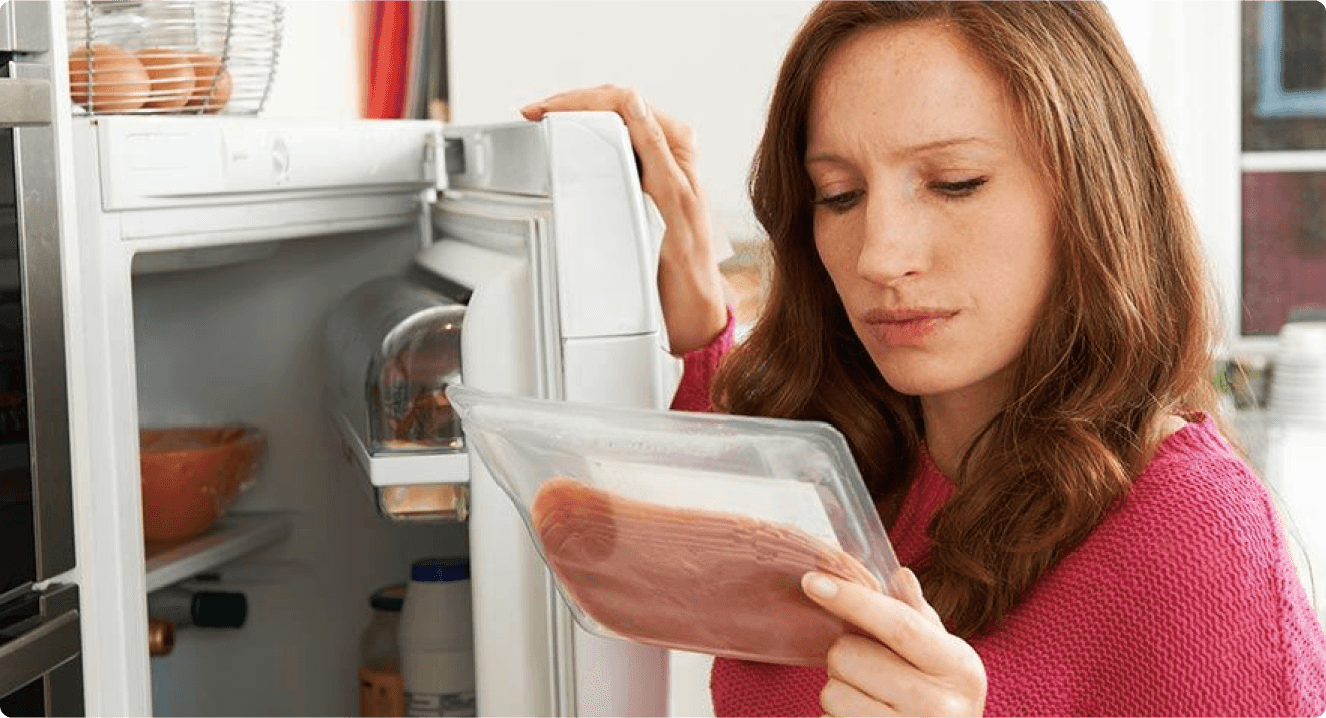
Forget food expiration date
Forget food expiration date
Forget food expiration date
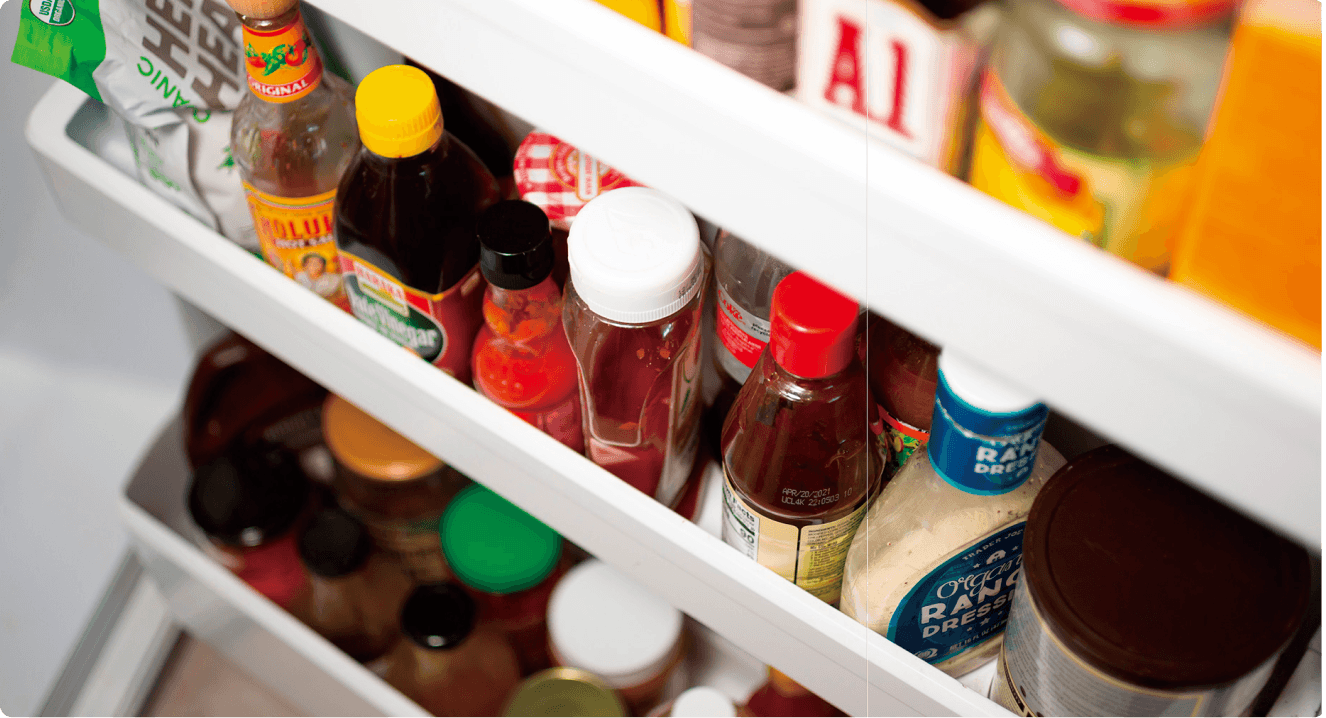
Too many food with long expiration date
Too many food with long expiration date
Too many food with long expiration date
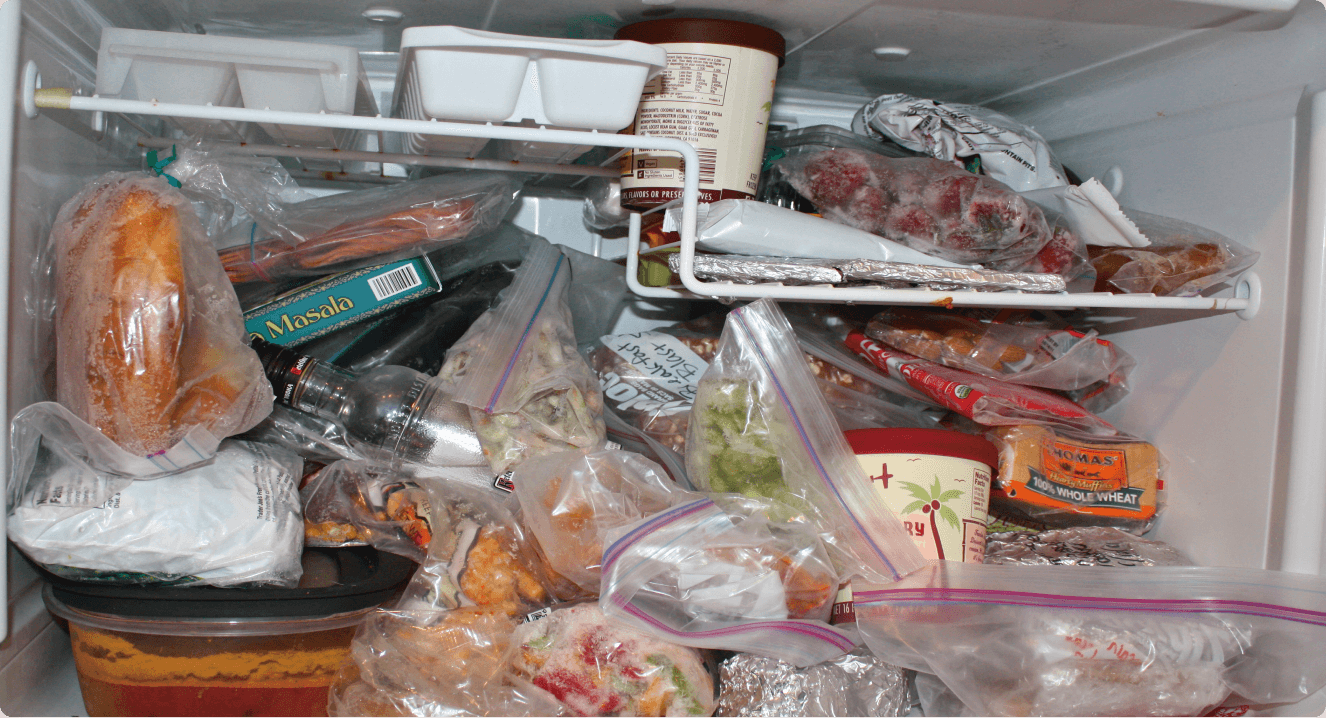
Messy fridge arrangement
Messy fridge arrangement
Messy fridge arrangement
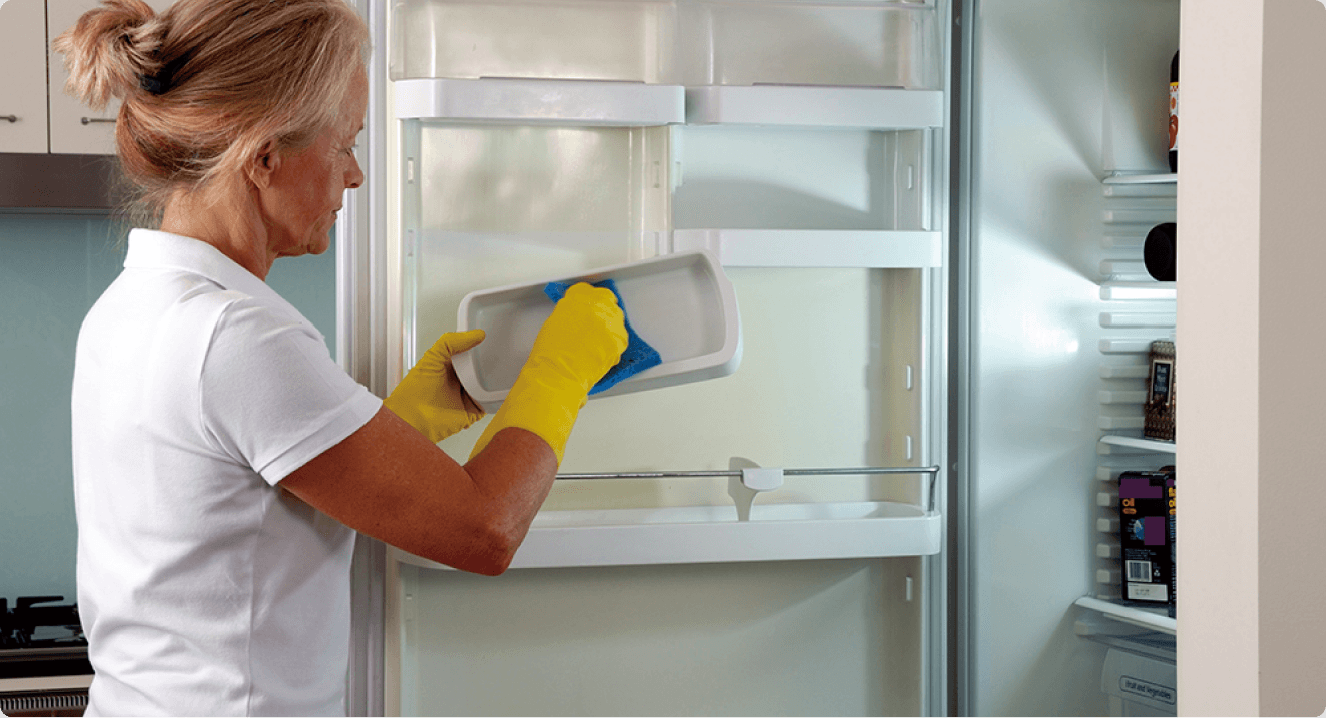
Too lazy to clean the fridge
Too lazy to clean the fridge
Too lazy to clean the fridge
Questionaire
Questionaire
Questionaire
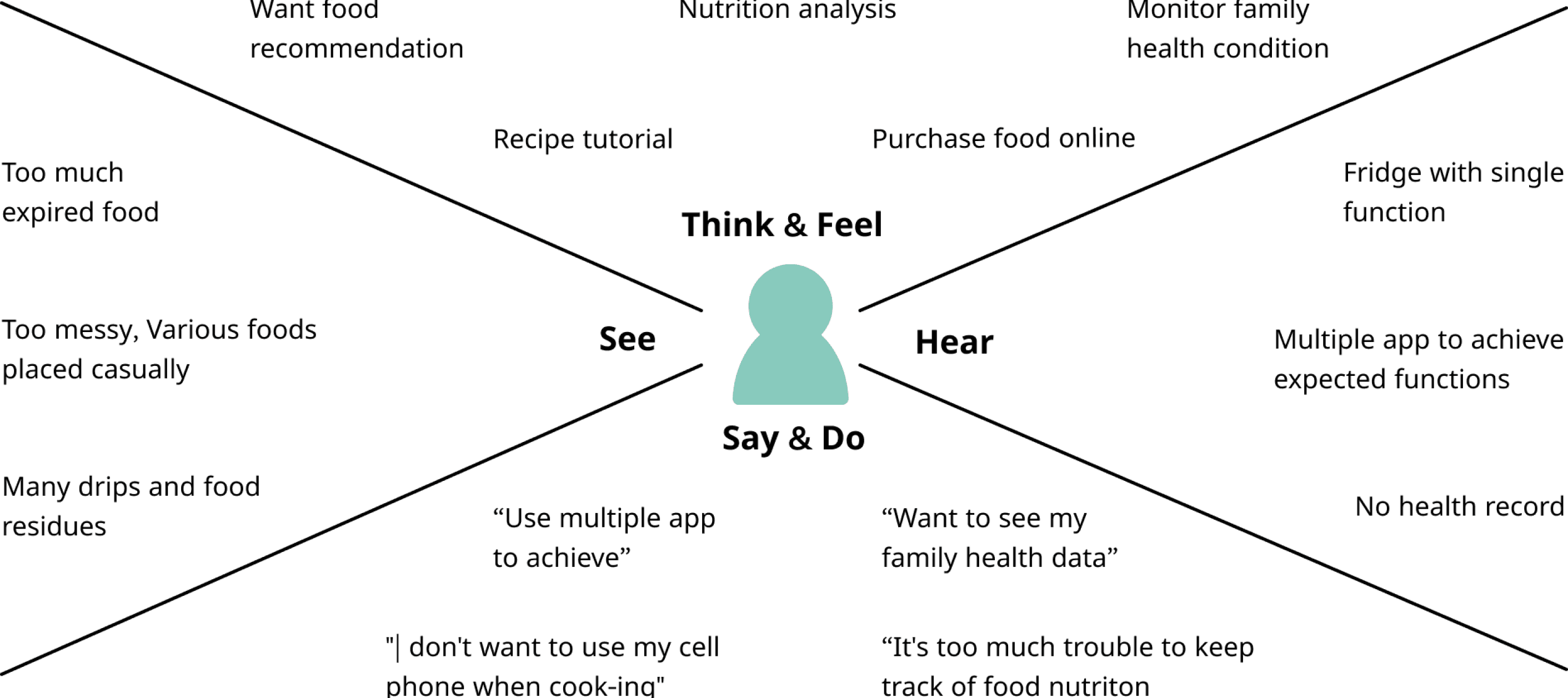
Empathy map
Empathy map
Empathy map
Design Process
Design Process
Design Process
Mindmap
Mindmap
Mindmap
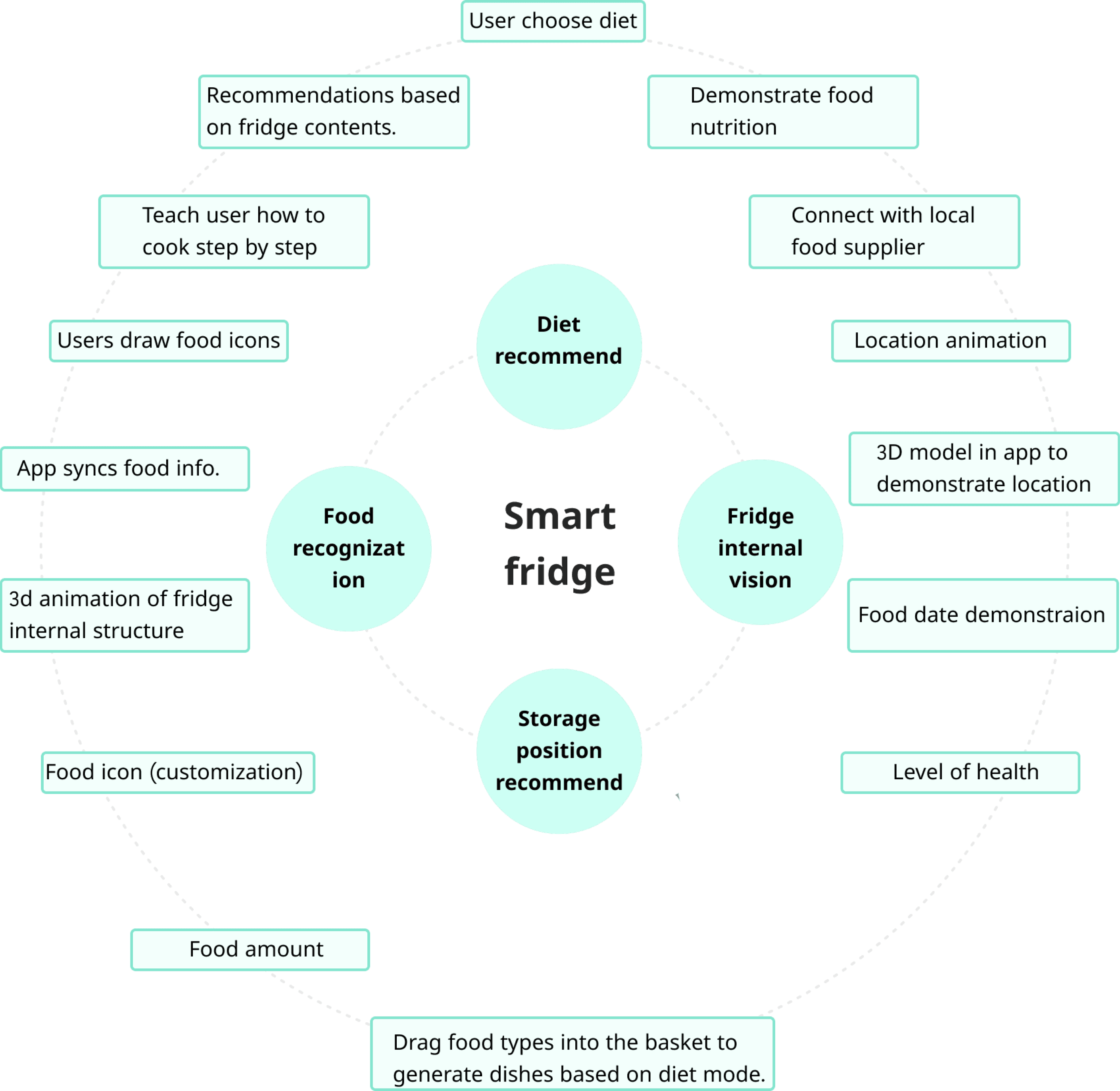
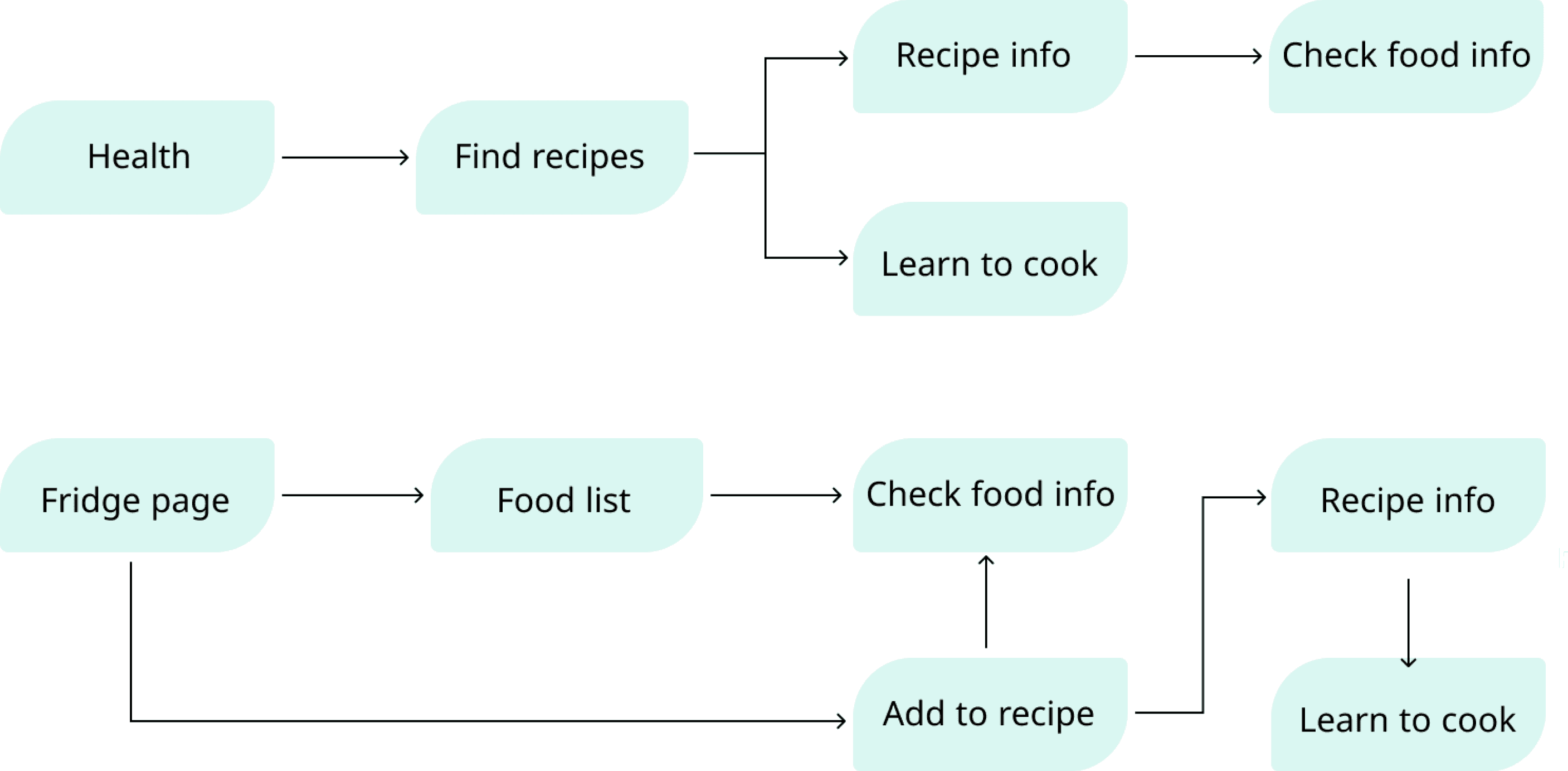
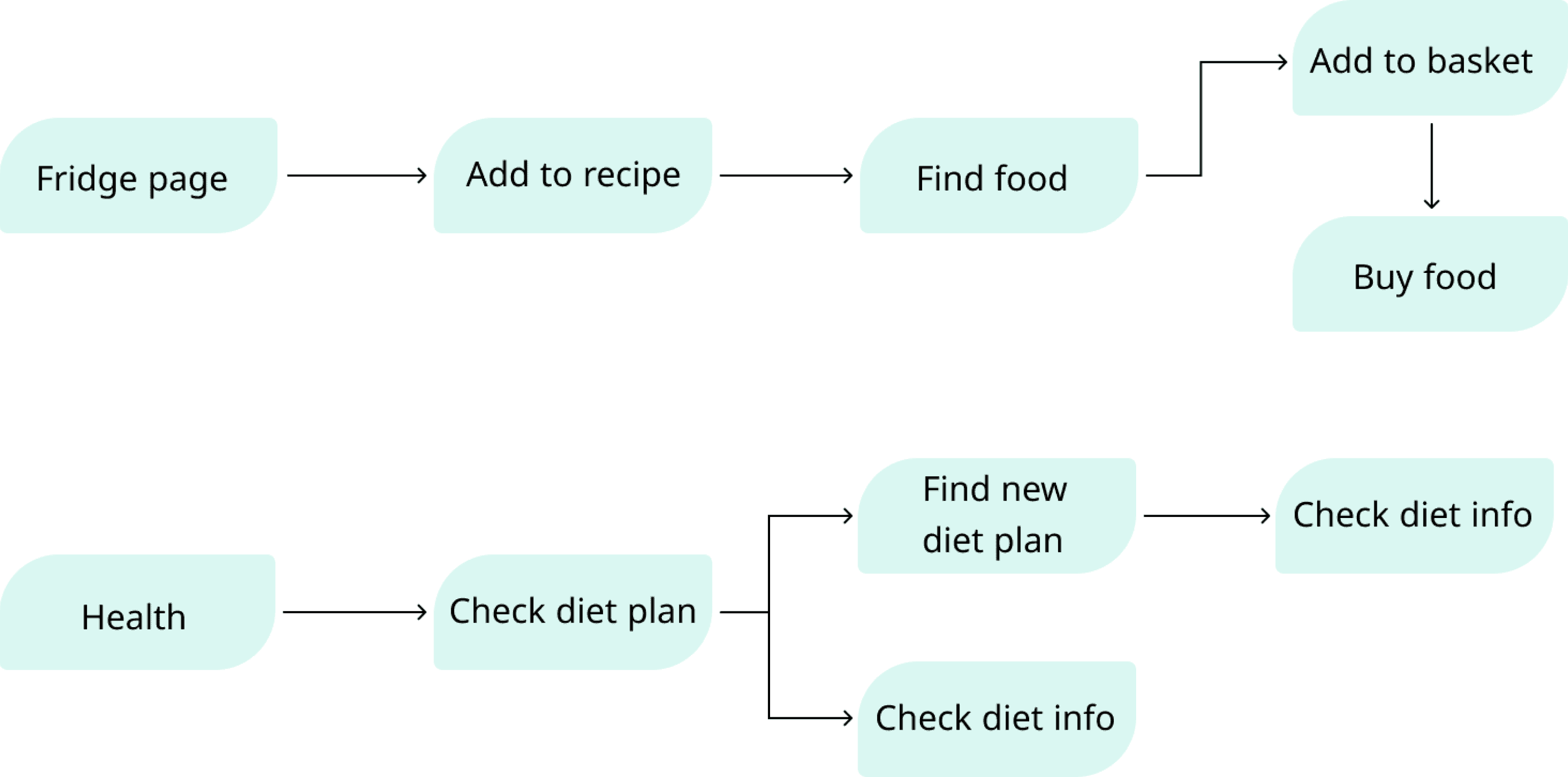
User flow
User flow
User flow
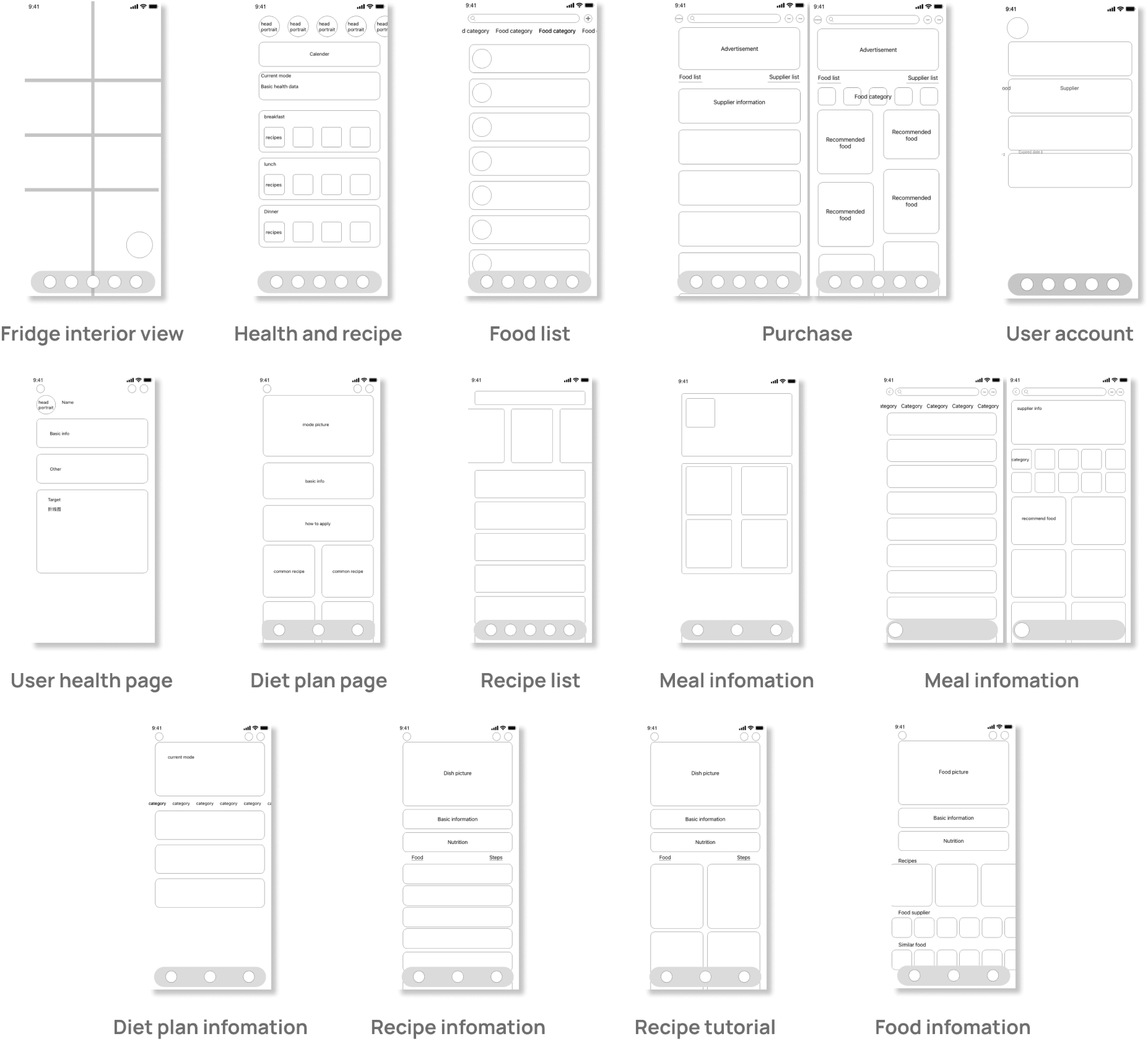
Low Fidelity
Low Fidelity
Low Fidelity

Contact Me
Ready to bring your vision to life? Let's connect and explore the possibilities together. Reach out today!
2026 All rights reserved. Design by Shankun Zhou.
Contact Me
Ready to bring your vision to life? Let's connect and explore the possibilities together. Reach out today!
2026 All rights reserved. Design by Shankun Zhou.
Contact Me
Ready to bring your vision to life? Let's connect and explore the possibilities together. Reach out today!
2026 All rights reserved. Design by Shankun Zhou.